
bob the builder Meme Generator
Create Your bob the builder Meme
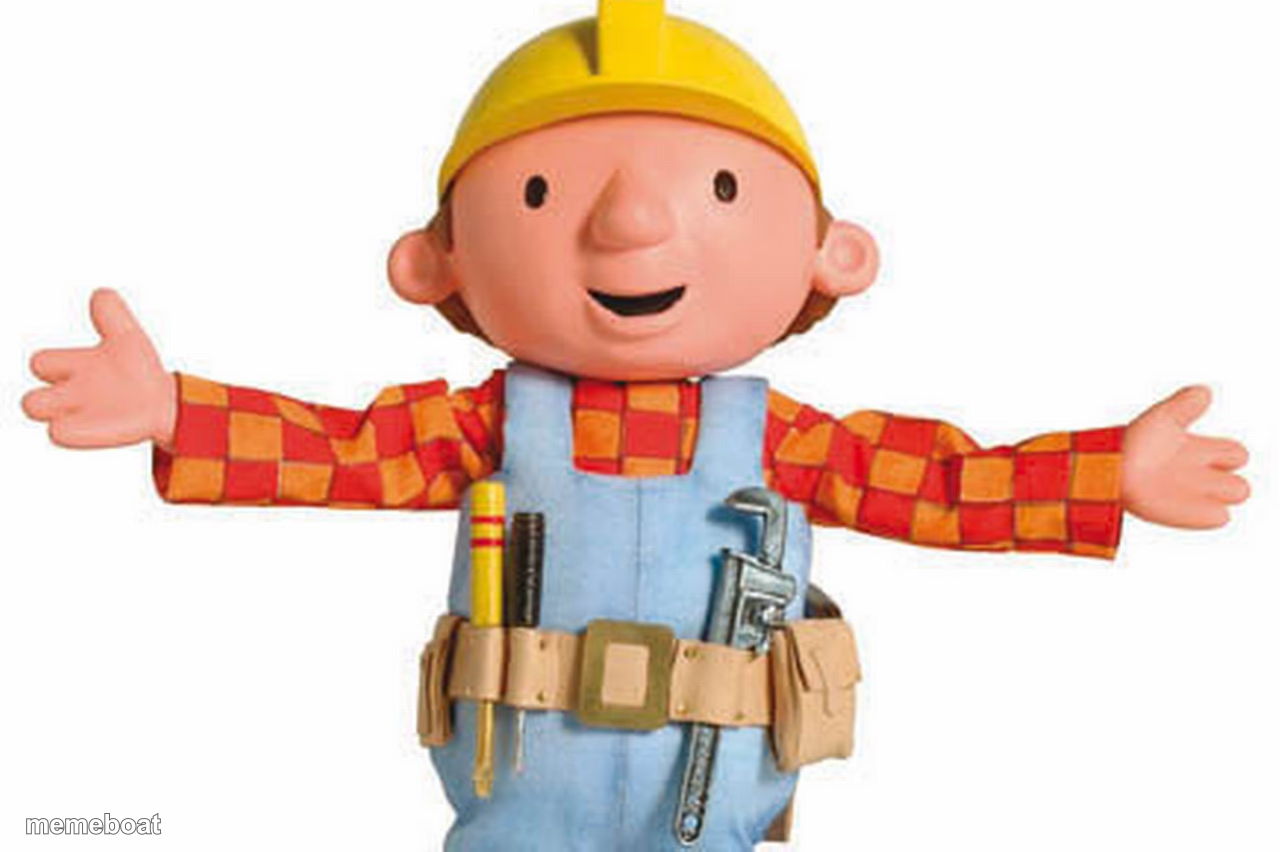
Bob the Builder standing with arms spread wide against a plain background, ideal for enthusiastic announcements, 'can we fix it' jokes, or over-the-top optimism captions.
Blank bob the builder meme template
Download the blank bob the builder template to caption it yourself, or add your text right here in the editor above and download the finished meme.
When to use the bob the builder meme
- overconfident announcement
- presenting a bad idea proudly
- can-do attitude jokes
- welcoming a mess
bob the builder template facts
- Dimensions
- 1280 × 852 px
- Format
- JPG
- Text boxes
- 2
- Added
- 2025
About the bob the builder meme template
Bob the Builder, the cartoon builder from the children's show, stands with his arms flung wide in a yellow hard hat and checked shirt. His tool belt holds a screwdriver and a pipe wrench. Used to proudly announce a plan, even a doomed one, or to cheerfully welcome a mess.
Popular bob the builder caption ideas
When the deadline is tomorrow · Can we fix it? Sure!
Me explaining my genius plan · That will definitely not work
Monday morning energy · Fake, but committed to it
Templates similar to bob the builder

bob the builder meme FAQ
How do I make a bob the builder meme?
Scroll up to the bob the builder template, type your caption into the 2 text boxes in the editor above, adjust the font, size and color if you like, then click download. Your finished bob the builder meme is ready to share in seconds.
Can I use the bob the builder template for free?
Yes. The bob the builder template is completely free to use — no signup and no limits on how many memes you create or where you share them.
How do I download my bob the builder meme?
Click the download button under the editor once your bob the builder meme looks right. It saves straight to your device as a high-quality PNG or JPEG image.
How do I download the blank bob the builder template?
Use the "Download blank template" button in the blank bob the builder template section above to save the original, un-captioned image — handy if you'd rather caption it in another app or keep a copy.