
Bluey Sitting Alone Meme Generator
Create Your Bluey Sitting Alone Meme
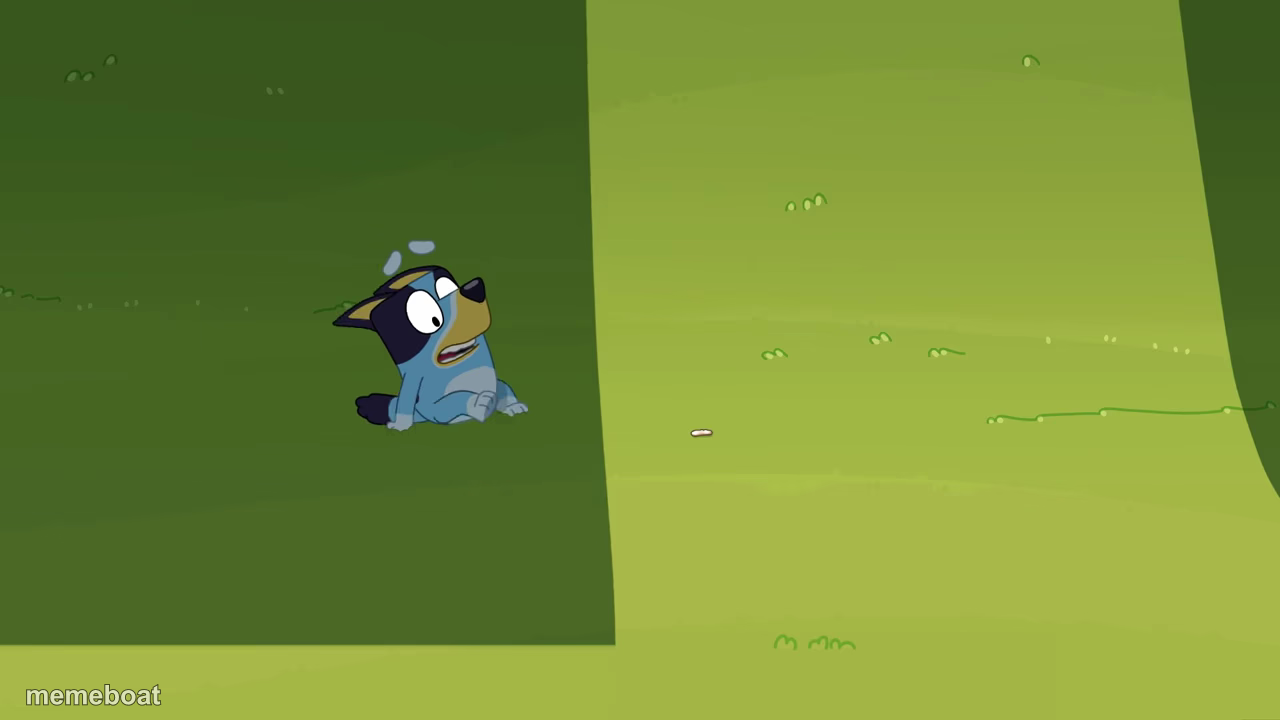
Bluey slumped alone in the grass with ears drooping, looking utterly deflated. Perfect for defeat and disappointment memes — caption and download free.
Blank Bluey Sitting Alone meme template
Download the blank Bluey Sitting Alone template to caption it yourself, or add your text right here in the editor above and download the finished meme.
When to use the Bluey Sitting Alone meme
- Watching your weekend plans get cancelled one by one
- The silence after you send a risky text
- Sitting with the news that the printer is STILL broken
Bluey Sitting Alone template facts
- Featuring
- Bandit or Bingo (Bluey)
- Dimensions
- 1280 × 720 px
- Format
- PNG
- Added
- 2025
About the Bluey Sitting Alone meme template
Bluey is just sitting there in the middle of a big empty lawn, ears down, staring at nothing, radiating pure 'I have given up.' No dialogue needed — the posture says it all.
Use this for the moment reality hits you sideways: the diagnosis, the exam grade, the group chat that went quiet, the plans that fell through. It's a small, quiet devastation template and it slaps every time.
Templates similar to Bluey Sitting Alone


Bluey Sitting Alone meme FAQ
How do I make a Bluey Sitting Alone meme?
Scroll up to the Bluey Sitting Alone template, add your own text boxes in the editor above and type your captions, adjust the font, size and color if you like, then click download. Your finished Bluey Sitting Alone meme is ready to share in seconds.
Can I use the Bluey Sitting Alone template for free?
Yes. The Bluey Sitting Alone template is completely free to use — no signup and no limits on how many memes you create or where you share them.
How do I download my Bluey Sitting Alone meme?
Click the download button under the editor once your Bluey Sitting Alone meme looks right. It saves straight to your device as a high-quality PNG or JPEG image.
How do I download the blank Bluey Sitting Alone template?
Use the "Download blank template" button in the blank Bluey Sitting Alone template section above to save the original, un-captioned image — handy if you'd rather caption it in another app or keep a copy.