
Beagle puppy Meme Generator
Create Your Beagle puppy Meme
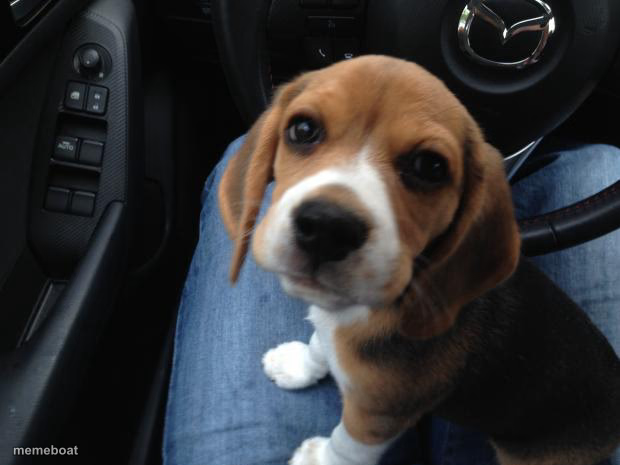
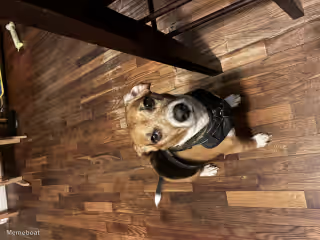
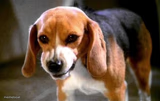
An adorable beagle puppy sitting in the driver's seat, staring right at the camera. Free to caption with your own joke and download.
Blank Beagle puppy meme template
Download the blank Beagle puppy template to caption it yourself, or add your text right here in the editor above and download the finished meme.
When to use the Beagle puppy meme
- Captioning your dog's first car ride ever
- 'Me pretending I know how to adult' energy
- Reacting to something wholesome or unexpectedly sweet
- New driver's license photo but make it a puppy
Beagle puppy template facts
- Dimensions
- 620 × 465 px
- Format
- JPG
- Text boxes
- 1
- Added
- 2025
About the Beagle puppy meme template
Look at this face. This beagle puppy is riding shotgun (or maybe driving, honestly the composition is unclear) and looking directly into your soul with those big puppy eyes. Zero threat, maximum cuteness.
Great for wholesome captions, 'first day on the job' jokes, or literally anything where you want to undercut a serious statement with an unbearably cute dog.
Popular Beagle puppy caption ideas
HELLO · I AM A BEAGLE
ME DRIVING TO WORK ON A MONDAY
WHEN THE VET SAYS 'JUST A ROUTINE CHECKUP'
MY FACE WHEN I REALIZE IT'S PAYDAY
Templates similar to Beagle puppy
Beagle puppy meme FAQ
How do I make a Beagle puppy meme?
Scroll up to the Beagle puppy template, type your caption into the text box in the editor above, adjust the font, size and color if you like, then click download. Your finished Beagle puppy meme is ready to share in seconds.
Can I use the Beagle puppy template for free?
Yes. The Beagle puppy template is completely free to use — no signup and no limits on how many memes you create or where you share them.
How do I download my Beagle puppy meme?
Click the download button under the editor once your Beagle puppy meme looks right. It saves straight to your device as a high-quality PNG or JPEG image.
How do I download the blank Beagle puppy template?
Use the "Download blank template" button in the blank Beagle puppy template section above to save the original, un-captioned image — handy if you'd rather caption it in another app or keep a copy.