Crying Laughing Guy Meme Generator
Create Your Crying Laughing Guy Meme
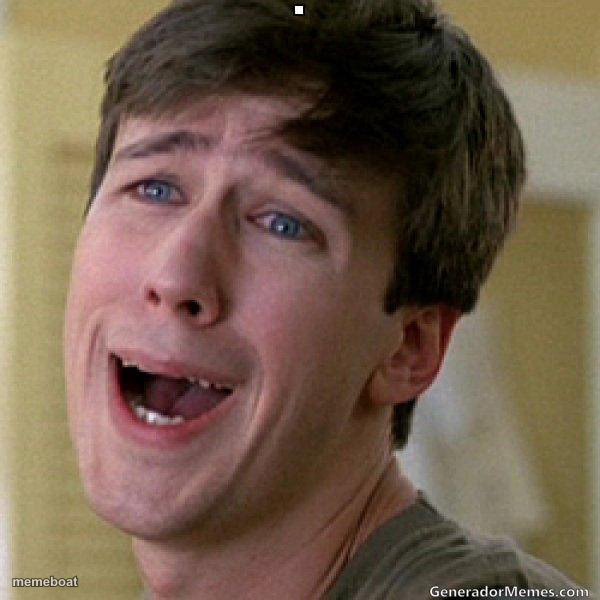
A young man with an awkward, exaggerated open-mouthed cringe-laugh expression, great for cringe, awkward, or secondhand embarrassment captions. Free to caption and download.
Blank Crying Laughing Guy meme template
Download the blank Crying Laughing Guy template to caption it yourself, or add your text right here in the editor above and download the finished meme.
When to use the Crying Laughing Guy meme
- cringing at something awkward
- forced fake laugh
Crying Laughing Guy template facts
- Dimensions
- 600 × 600 px
- Format
- JPG
- Text boxes
- 2
- Added
- 2025
About the Crying Laughing Guy meme template
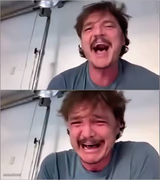
A close-up of a man with short brown hair and wide blue eyes, his mouth stretched open in a strained grin with his teeth showing, his brows pulled up and his gaze turned to the side. Used to react to something awkward with a forced, pained laugh that hides the discomfort.
Popular Crying Laughing Guy caption ideas
Baby Puffins · are called PUFFLINGS
When your joke · doesn't land
Me pretending · that's funny
That face you make · reading old texts
Templates similar to Crying Laughing Guy



Crying Laughing Guy meme FAQ
How do I make a Crying Laughing Guy meme?
Scroll up to the Crying Laughing Guy template, type your caption into the 2 text boxes in the editor above, adjust the font, size and color if you like, then click download. Your finished Crying Laughing Guy meme is ready to share in seconds.
Can I use the Crying Laughing Guy template for free?
Yes. The Crying Laughing Guy template is completely free to use — no signup and no limits on how many memes you create or where you share them.
How do I download my Crying Laughing Guy meme?
Click the download button under the editor once your Crying Laughing Guy meme looks right. It saves straight to your device as a high-quality PNG or JPEG image.
How do I download the blank Crying Laughing Guy template?
Use the "Download blank template" button in the blank Crying Laughing Guy template section above to save the original, un-captioned image — handy if you'd rather caption it in another app or keep a copy.