
Any questions Meme Generator
Create Your Any questions Meme

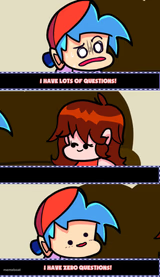
Cyanide and Happiness style comic of a teacher asking 'Any questions?' beside a blank chalkboard and a blank-faced kid. Ideal for confusion or awkward silence jokes. Free to caption.
Blank Any questions meme template
Download the blank Any questions template to caption it yourself, or add your text right here in the editor above and download the finished meme.
Any questions template facts
- Dimensions
- 480 × 402 px
- Format
- PNG
- Text boxes
- 3
- Added
- 2026
About the Any questions meme template
That moment when you've just delivered information and want to check if anyone needs clarification - that's the feeling this template captures perfectly.
The format works well for educational scenarios, particularly teacher-student interactions where knowledge is being shared or tested. Based on the captions users create, it fits situations involving academic subjects, explanations of concepts, or any context where someone presents information and opens the floor for questions.
For effective captions, try pairing a subject or topic with roles like "TEACHER" and "STUDENT" to set up the educational dynamic this template naturally supports.
Popular Any questions caption ideas
Meteor, Meteoroid, Meteorite, and Other Heavenly Bodies · TEACHER · STUDENT
Templates similar to Any questions


Any questions meme FAQ
How do I make a Any questions meme?
Scroll up to the Any questions template, type your caption into the 3 text boxes in the editor above, adjust the font, size and color if you like, then click download. Your finished Any questions meme is ready to share in seconds.
Can I use the Any questions template for free?
Yes. The Any questions template is completely free to use — no signup and no limits on how many memes you create or where you share them.
How do I download my Any questions meme?
Click the download button under the editor once your Any questions meme looks right. It saves straight to your device as a high-quality PNG or JPEG image.
How do I download the blank Any questions template?
Use the "Download blank template" button in the blank Any questions template section above to save the original, un-captioned image — handy if you'd rather caption it in another app or keep a copy.