
Question Meme Generator
Create Your Question Meme

A big glowing pink-red question mark on a black background — simple, bold, and ready for any 'wait, what?' caption. Caption and download free.
Blank Question meme template
Download the blank Question template to caption it yourself, or add your text right here in the editor above and download the finished meme.
When to use the Question meme
- Someone leaves you on read for three days
- A plot twist that makes zero sense
- Getting a cryptic one-word reply
- Trying to understand the group chat drama
Question template facts
- Dimensions
- 600 × 450 px
- Format
- PNG
- Text boxes
- 1
- Added
- 2026
About the Question meme template
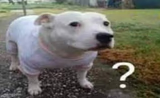
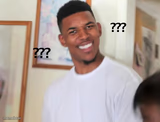
Nothing fancy here, just a giant glowing question mark hanging in the dark like it's asking the universe for answers. It's blunt, it's simple, and that's exactly why it works.
Drop it under any confusing situation, unanswered text, or plot hole that's been bugging you. When words fail and all you've got is a big dumb '?', this is the template.
Popular Question caption ideas
If this gets any you-know-whats... I'll you-know-what to you-know-who!
WHEN THE RECIPE SAYS 'SEASON TO TASTE' AND YOU HAVE NO TASTE
MY BRAIN AT 3PM TRYING TO REMEMBER WHY I WALKED INTO THIS ROOM
THE ENDING OF EVERY M NIGHT SHYAMALAN MOVIE


Question meme FAQ
How do I make a Question meme?
Scroll up to the Question template, type your caption into the text box in the editor above, adjust the font, size and color if you like, then click download. Your finished Question meme is ready to share in seconds.
Can I use the Question template for free?
Yes. The Question template is completely free to use — no signup and no limits on how many memes you create or where you share them.
How do I download my Question meme?
Click the download button under the editor once your Question meme looks right. It saves straight to your device as a high-quality PNG or JPEG image.
How do I download the blank Question template?
Use the "Download blank template" button in the blank Question template section above to save the original, un-captioned image — handy if you'd rather caption it in another app or keep a copy.