
Nahida Confused Meme Generator
Create Your Nahida Confused Meme
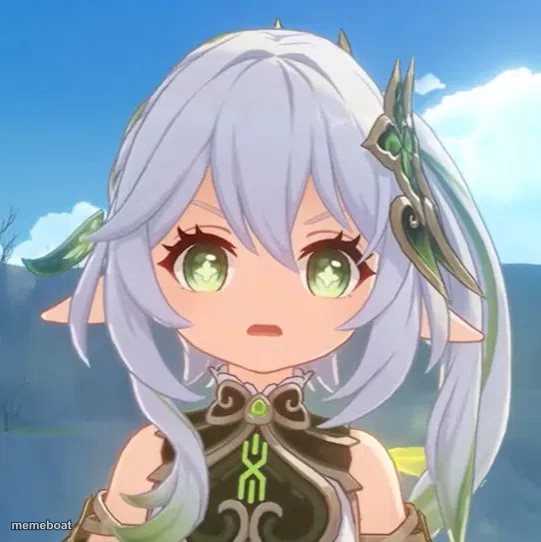
Nahida from Genshin Impact with a puzzled, wide-eyed stare. Perfect for confusion or side-eye reactions. Caption it free and download in seconds.
Blank Nahida Confused meme template
Download the blank Nahida Confused template to caption it yourself, or add your text right here in the editor above and download the finished meme.
When to use the Nahida Confused meme
- Reading a group chat message completely out of context
- Hearing your coworker's plan that makes no sense
- When someone explains the plot of a show you haven't seen
- Realizing the meeting could have been an email
Nahida Confused template facts
- Featuring
- Nahida (Genshin Impact)
- Dimensions
- 541 × 542 px
- Format
- JPG
- Text boxes
- 2
- Added
- 2025
About the Nahida Confused meme template
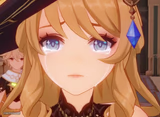
Nahida, the Dendro Archon herself, giving that unmistakable 'wait, what did you just say to me' stare — green eyes wide, mouth slightly open, silver hair perfectly still while her brain short-circuits.
Use it for any moment of pure bewilderment: reading a text that makes zero sense, hearing a wild conspiracy theory, or watching someone explain their terrible plan with total confidence. It's confusion with elegance.
Popular Nahida Confused caption ideas
WHEN THEY SAY 'IT'S NOT THAT DEEP' · ABOUT THE THING THAT IS VERY DEEP
ME TRYING TO UNDERSTAND · CRYPTO TWITTER
WHEN THE RECIPE SAYS · 'SEASON TO TASTE'
Templates similar to Nahida Confused



Nahida Confused meme FAQ
How do I make a Nahida Confused meme?
Scroll up to the Nahida Confused template, type your caption into the 2 text boxes in the editor above, adjust the font, size and color if you like, then click download. Your finished Nahida Confused meme is ready to share in seconds.
Can I use the Nahida Confused template for free?
Yes. The Nahida Confused template is completely free to use — no signup and no limits on how many memes you create or where you share them.
How do I download my Nahida Confused meme?
Click the download button under the editor once your Nahida Confused meme looks right. It saves straight to your device as a high-quality PNG or JPEG image.
How do I download the blank Nahida Confused template?
Use the "Download blank template" button in the blank Nahida Confused template section above to save the original, un-captioned image — handy if you'd rather caption it in another app or keep a copy.