Loading...
Loading...
Make hilarious Yes memes instantly with our free generator. Create viral content in seconds—no signup required! Start making your funny Yes meme now.
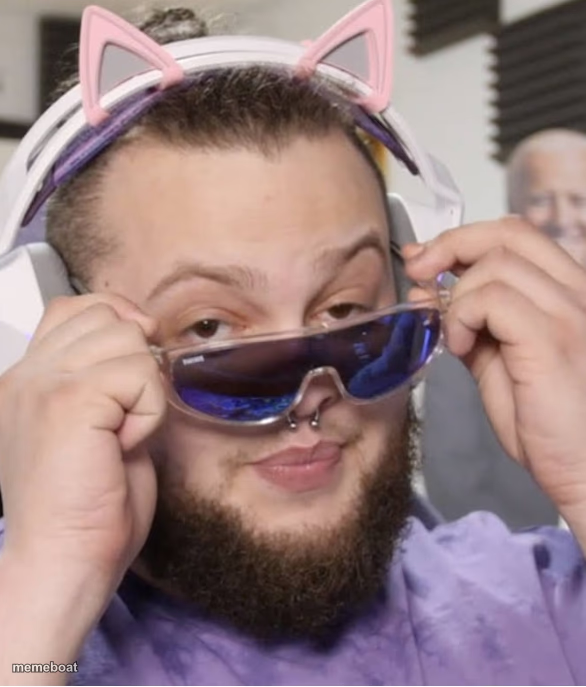
The "Yes" meme template, popularized by StanleyMOV, has become a staple in internet culture and viral phenomena since its rise on platforms like TikTok and Twitter in the early 2020s. This meme captures the perfect moment of enthusiastic agreement or triumphant affirmation, making it a versatile tool in meme culture. Its simple yet expressive imagery resonates widely, allowing users to convey humor, sarcasm, or trolling in a single frame. As a part of the broader meme ecosystem, the "Yes" meme stands out for its relatable and instantly recognizable style, often used in social media to spark laughter and engagement.
Knowing how to use the "Yes" meme template effectively can elevate your social media content and boost your online presence. Perfect for funny reactions, trolling moments, or celebrating small wins, this meme fits seamlessly into various contexts. Whether you’re wondering how to make a "Yes" meme for Instagram, Twitter, or Facebook, this template offers endless possibilities. It’s especially useful for posts aiming to capture relatable moments or to troll friends in a lighthearted way. Understanding when to post and how to customize the meme with your own text ensures your content stands out in the crowded meme culture landscape.
The "Yes" meme remains one of the most popular and shareable templates due to its simplicity and emotional impact. Our Yes meme generator lets you create, customize, and generate your own viral memes instantly—no design skills needed. With easy-to-use tools, you can personalize text and produce funny, trending content that’s ready to share across all social media platforms. Join millions who use our meme maker to build hilarious, viral content quickly and effortlessly. Start creating your own "Yes" meme now and watch your social media engagement soar with instant, shareable humor.
Scroll up to the Yes template, add your own text boxes in the editor above and type your captions, adjust the font, size and color if you like, then click download. Your finished Yes meme is ready to share in seconds.
Yes. The Yes template is completely free to use — no signup, no watermark and no limits on how many memes you create or where you share them.
Click the download button under the editor once your Yes meme looks right. It saves straight to your device as a high-quality PNG or JPEG image.