
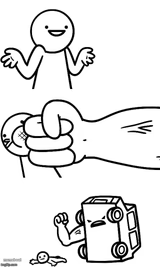
Twinkle Twinkle Hit You With My Car Meme Generator
Create Your Twinkle Twinkle Hit You With My Car Meme
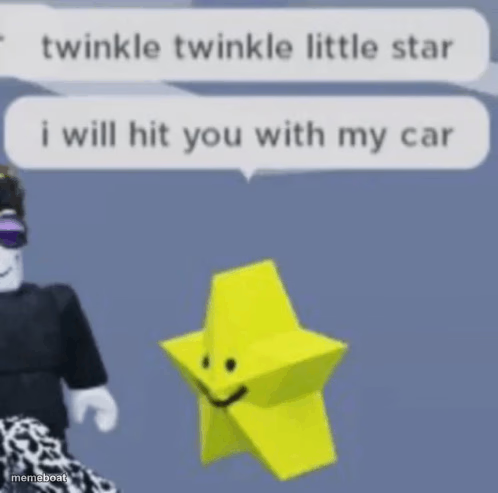
A cheerful yellow star gets an unexpectedly violent nursery rhyme punchline, great for dark humor, unexpected threats, or ironic sweetness. Caption and download free.
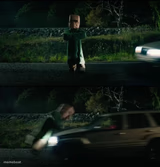
Blank Twinkle Twinkle Hit You With My Car meme template
Download the blank Twinkle Twinkle Hit You With My Car template to caption it yourself, or add your text right here in the editor above and download the finished meme.
When to use the Twinkle Twinkle Hit You With My Car meme
- dark humor twist
- sweet setup gone wrong
- unexpected threat
Twinkle Twinkle Hit You With My Car template facts
- Dimensions
- 498 × 493 px
- Format
- PNG
- Text boxes
- 2
- Added
- 2025
About the Twinkle Twinkle Hit You With My Car meme template
The "Yes" meme template has become a staple in internet culture, especially among Roblox enthusiasts and gamers worldwide. Originating from the vibrant Roblox community, this meme captures the essence of simple affirmation and enthusiasm, making it a viral phenomenon on platforms like TikTok, Twitter, and Instagram since 2021. Its straightforward yet expressive design resonates deeply within social media, reflecting relatable moments and quick reactions that users love to share. As a part of meme culture, the "Yes" meme embodies the humor and spontaneity that define online trends today.
Knowing how to use the Yes meme template effectively can elevate your social media content and boost engagement. Perfect for expressing agreement, excitement, or approval, this meme fits seamlessly into funny reactions and relatable moments across various platforms. Whether you're posting on Facebook, Twitter, or TikTok, understanding when to post a "Yes" meme can amplify your message’s impact. For creators wondering how to make the most of this template, it’s ideal for quick, humorous replies or to highlight positive life moments, especially within the Roblox community and gaming circles.
The popularity of the Yes meme remains strong due to its versatility and ease of creation. Users can quickly generate, customize, and personalize their own Yes memes using our online meme maker, requiring no design skills. This instant meme generator delivers viral, shareable content that drives social media engagement and laughter. Ready to create your own? Use our free Yes meme generator now to build funny, trending memes that capture the spirit of internet culture and Roblox life. Start making viral content immediately and join millions sharing the fun today!
Popular Twinkle Twinkle Hit You With My Car caption ideas
Have a nice day · or else
I hope you're doing well · I am not
You seem happy today · that ends now
Templates similar to Twinkle Twinkle Hit You With My Car
Twinkle Twinkle Hit You With My Car meme FAQ
How do I make a Twinkle Twinkle Hit You With My Car meme?
Scroll up to the Twinkle Twinkle Hit You With My Car template, type your caption into the 2 text boxes in the editor above, adjust the font, size and color if you like, then click download. Your finished Twinkle Twinkle Hit You With My Car meme is ready to share in seconds.
Can I use the Twinkle Twinkle Hit You With My Car template for free?
Yes. The Twinkle Twinkle Hit You With My Car template is completely free to use — no signup and no limits on how many memes you create or where you share them.
How do I download my Twinkle Twinkle Hit You With My Car meme?
Click the download button under the editor once your Twinkle Twinkle Hit You With My Car meme looks right. It saves straight to your device as a high-quality PNG or JPEG image.
How do I download the blank Twinkle Twinkle Hit You With My Car template?
Use the "Download blank template" button in the blank Twinkle Twinkle Hit You With My Car template section above to save the original, un-captioned image — handy if you'd rather caption it in another app or keep a copy.