
write that down Meme Generator
Create Your write that down Meme
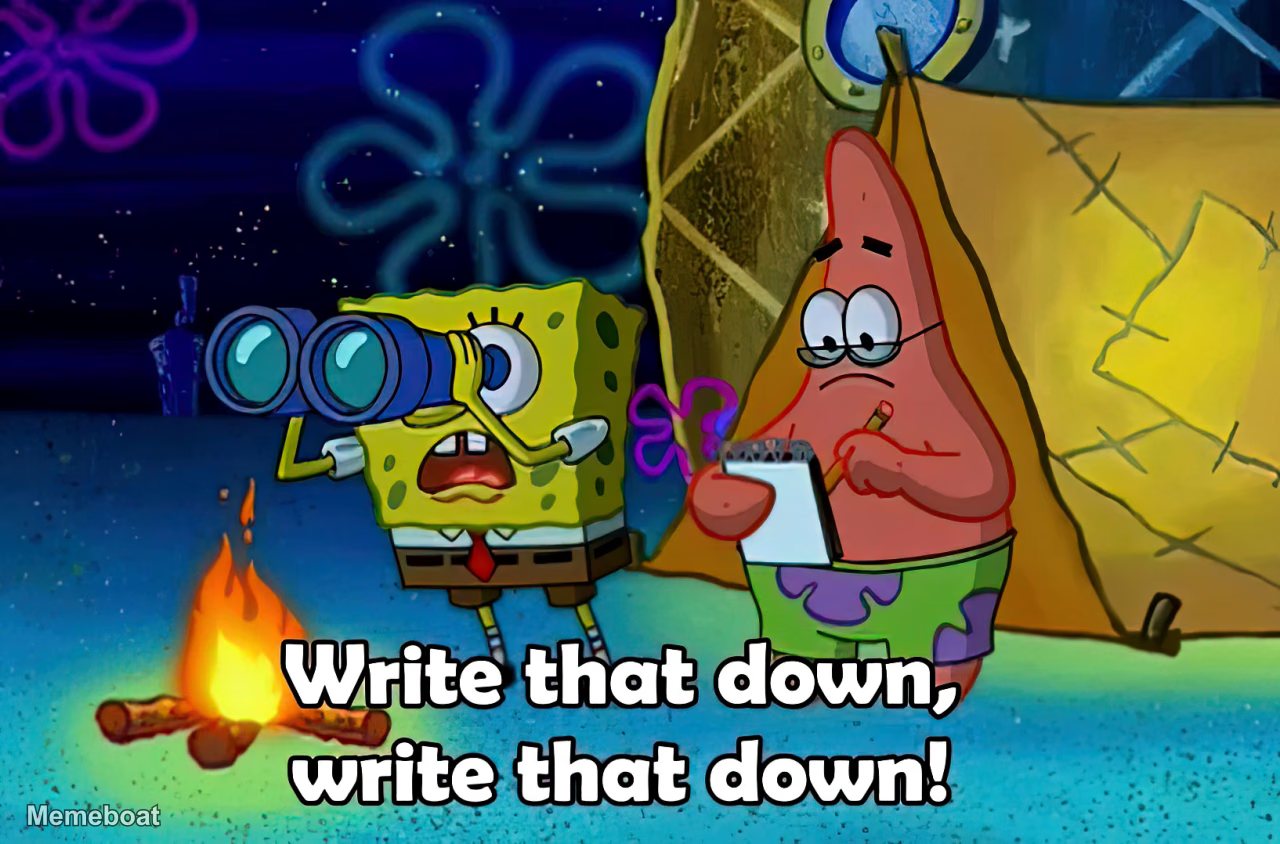
Also known as: Write That Down, Write That Down! · SpongeBob and Patrick Writing · SpongeBob Write That Down · Spongebob and Patrick Write That Down
Create write that down memes with custom text. Perfect for moments when someone says something worth remembering. Add captions and download free.
Blank write that down meme template
Download the blank write that down template to caption it yourself, or add your text right here in the editor above and download the finished meme.
write that down template facts
- Dimensions
- 1280 × 844 px
- Format
- JPG
- Added
- 2026
About the write that down meme template
Start your caption with "POV:" to set up the scenario where someone says something memorable. This format works best when highlighting unexpected wisdom or surprising statements that catch people off guard.
The write that down template captures those moments when someone drops knowledge or says something quotable. Whether it's family arguments revealing new vocabulary or siblings sharing unexpected insights, the format emphasizes the urge to record what was just said.
Focus your caption on the specific situation that made you want to remember the words. The stronger the contrast between the speaker and their surprising statement, the more effective your meme will be.
Popular write that down caption ideas
POV: Your mom is arguing and using curse words: · ME · MY SISTER
Templates similar to write that down

write that down meme FAQ
How do I make a write that down meme?
Scroll up to the write that down template, add your own text boxes in the editor above and type your captions, adjust the font, size and color if you like, then click download. Your finished write that down meme is ready to share in seconds.
Can I use the write that down template for free?
Yes. The write that down template is completely free to use — no signup and no limits on how many memes you create or where you share them.
How do I download my write that down meme?
Click the download button under the editor once your write that down meme looks right. It saves straight to your device as a high-quality PNG or JPEG image.
How do I download the blank write that down template?
Use the "Download blank template" button in the blank write that down template section above to save the original, un-captioned image — handy if you'd rather caption it in another app or keep a copy.