
Wreck It Ralph Meme Generator
Create Your Wreck It Ralph Meme
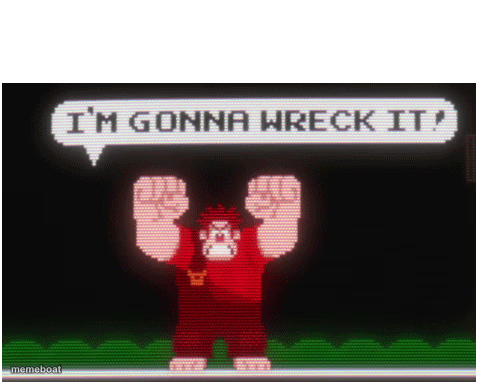
8-bit Ralph raises his fists shouting "I'm gonna wreck it!" Perfect for threatening to demolish anything, literally or figuratively. Caption it free.
Blank Wreck It Ralph meme template
Download the blank Wreck It Ralph template to caption it yourself, or add your text right here in the editor above and download the finished meme.
When to use the Wreck It Ralph meme
- Reacting to being handed a task you're clearly going to break
- Hyping yourself up before deleting a bad codebase and starting over
Wreck It Ralph template facts
- Featuring
- Wreck-It Ralph
- Dimensions
- 479 × 382 px
- Format
- PNG
- Text boxes
- 1
- Added
- 2025
About the Wreck It Ralph meme template
Pixelated Ralph from the arcade-game opening of Wreck-It Ralph, fists up, mid-roar, about to smash a building to bits. It's got that retro 8-bit chaos energy baked right in.
Use it anytime you're about to ruin something on purpose — a diet, a group project, a Jenga tower, your own sleep schedule. Anything that's declaring war on order belongs here.
Popular Wreck It Ralph caption ideas
ME OPENING THE FRIDGE AT MIDNIGHT
MY BUDGET THIS MONTH
WHEN THE GROUP PROJECT NEEDS A REWRITE AND I'M THE ONE DOING IT
Templates similar to Wreck It Ralph

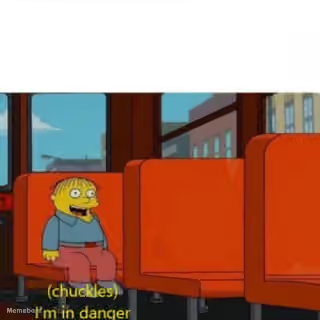
Wreck It Ralph meme FAQ
How do I make a Wreck It Ralph meme?
Scroll up to the Wreck It Ralph template, type your caption into the text box in the editor above, adjust the font, size and color if you like, then click download. Your finished Wreck It Ralph meme is ready to share in seconds.
Can I use the Wreck It Ralph template for free?
Yes. The Wreck It Ralph template is completely free to use — no signup and no limits on how many memes you create or where you share them.
How do I download my Wreck It Ralph meme?
Click the download button under the editor once your Wreck It Ralph meme looks right. It saves straight to your device as a high-quality PNG or JPEG image.
How do I download the blank Wreck It Ralph template?
Use the "Download blank template" button in the blank Wreck It Ralph template section above to save the original, un-captioned image — handy if you'd rather caption it in another app or keep a copy.