
One Push Up Meme Generator
Create Your One Push Up Meme
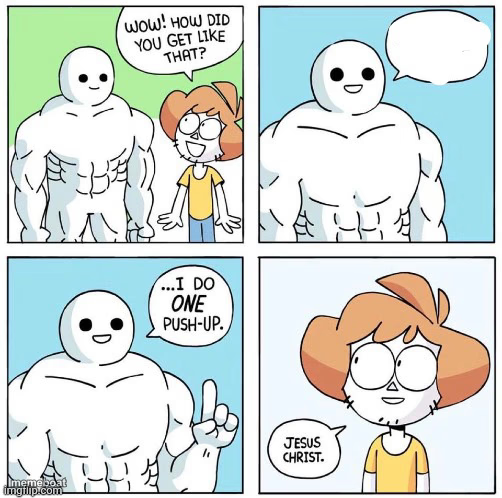
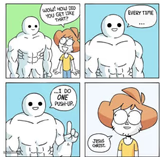
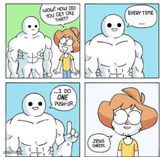
Buff blob asks how you got so ripped, then reveals he did one push-up while the kid recoils in shock. Caption absurd humble-brags free.
Blank One Push Up meme template
Download the blank One Push Up template to caption it yourself, or add your text right here in the editor above and download the finished meme.
When to use the One Push Up meme
- Explaining how your side project blew up after one random tweet
- Bragging about a six-pack you got from doing exactly one crunch
- Someone asks how your garden got so huge and you say you watered it once
One Push Up template facts
- Featuring
- One Push-Up (Wow How Did You Get Like That) (webcomic panel meme)
- Dimensions
- 502 × 498 px
- Format
- JPG
- Added
- 2025
About the One Push Up meme template
A hulking white blob-man gets stopped by a wide-eyed kid who wants to know his secret. He flexes, pauses for effect, then drops the most anticlimactic answer possible: one push-up. Cue the kid's dead-eyed "Jesus Christ."
It's the perfect format for any wildly disproportionate cause-and-effect joke — massive results from minimal effort, or the opposite. Swap in your own overachievement and underachievement for instant comedic whiplash.
Templates similar to One Push Up
One Push Up meme FAQ
How do I make a One Push Up meme?
Scroll up to the One Push Up template, add your own text boxes in the editor above and type your captions, adjust the font, size and color if you like, then click download. Your finished One Push Up meme is ready to share in seconds.
Can I use the One Push Up template for free?
Yes. The One Push Up template is completely free to use — no signup and no limits on how many memes you create or where you share them.
How do I download my One Push Up meme?
Click the download button under the editor once your One Push Up meme looks right. It saves straight to your device as a high-quality PNG or JPEG image.
How do I download the blank One Push Up template?
Use the "Download blank template" button in the blank One Push Up template section above to save the original, un-captioned image — handy if you'd rather caption it in another app or keep a copy.