
wow doge Meme Generator
Create Your wow doge Meme
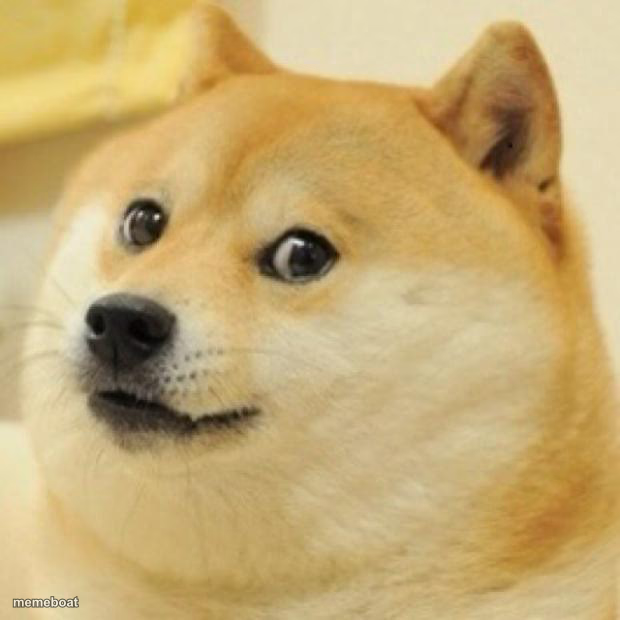
Also known as: Doge · Shiba Inu · Kabosu
The original Doge — wide-eyed Shiba Inu with the classic skeptical stare. Add your own broken-English captions and download free.
Blank wow doge meme template
Download the blank wow doge template to caption it yourself, or add your text right here in the editor above and download the finished meme.
When to use the wow doge meme
- Reacting skeptically to a wild claim someone just made
- Being suspiciously excited about something small
- Classic broken-English internal monologue captions
- Any 'much X, very Y, wow' style joke
wow doge template facts
- Featuring
- Doge (Doge meme (Kabosu the Shiba Inu))
- Dimensions
- 620 × 620 px
- Format
- JPG
- Text boxes
- 1
- Added
- 2025
About the wow doge meme template
The one, the only, the original Doge. That wide-eyed, slightly judgmental Shiba Inu stare that launched a thousand 'such wow, very caption' jokes and, unfortunately, a cryptocurrency.
Works for skeptical reactions, excited reactions, basically any thought you want translated into broken caveman English with much emphasis.
Popular wow doge caption ideas
WOW · SHARK DIDNT BITE
such bill. very due. much rent. wow
when they say the meeting could have been an email
much suspicious. very 2am text. wow
Templates similar to wow doge

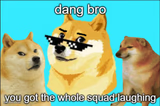
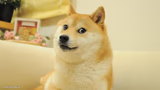
wow doge meme FAQ
How do I make a wow doge meme?
Scroll up to the wow doge template, type your caption into the text box in the editor above, adjust the font, size and color if you like, then click download. Your finished wow doge meme is ready to share in seconds.
Can I use the wow doge template for free?
Yes. The wow doge template is completely free to use — no signup and no limits on how many memes you create or where you share them.
How do I download my wow doge meme?
Click the download button under the editor once your wow doge meme looks right. It saves straight to your device as a high-quality PNG or JPEG image.
How do I download the blank wow doge template?
Use the "Download blank template" button in the blank wow doge template section above to save the original, un-captioned image — handy if you'd rather caption it in another app or keep a copy.