
Wow cat Meme Generator
Create Your Wow cat Meme
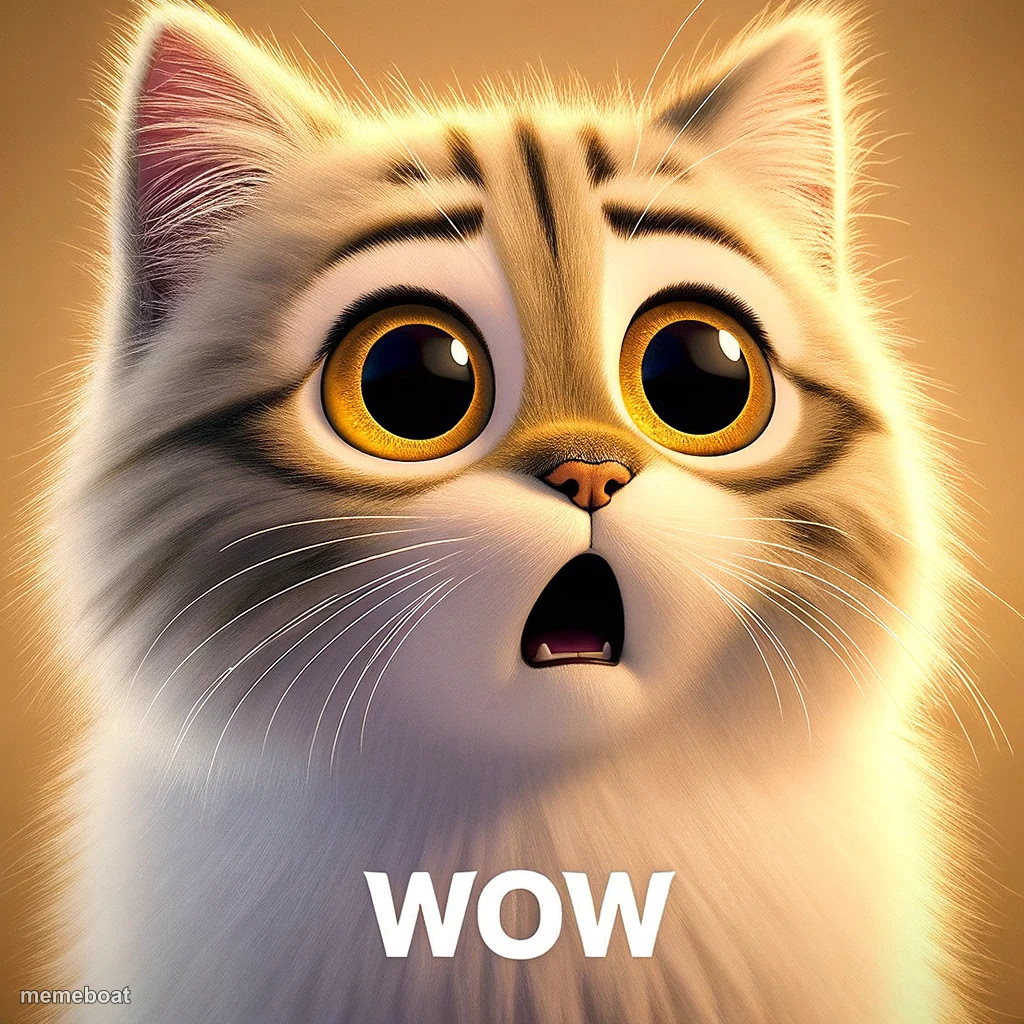
A shocked, wide-eyed AI cat gasping 'WOW' — the reaction template for anything jaw-dropping, ridiculous, or too good to believe. Free to caption.
Blank Wow cat meme template
Download the blank Wow cat template to caption it yourself, or add your text right here in the editor above and download the finished meme.
When to use the Wow cat meme
- Reacting to an unbelievable price or bill
- Seeing a plot twist you didn't see coming
- Finding out gossip you weren't ready for
- Realizing how much time you wasted scrolling
Wow cat template facts
- Dimensions
- 1024 × 1024 px
- Format
- JPG
- Text boxes
- 1
- Added
- 2025
About the Wow cat meme template
This cat's eyes are the size of dinner plates and its jaw is on the floor, mouth frozen in an open-mouthed 'WOW' that says it just witnessed something it cannot process. It's dramatic in the best, most shareable way.
Drop it under any plot twist, unbelievable price tag, shocking stat, or 'wait, WHAT' moment. It's the reaction gif energy of a cat that has officially seen too much.
Popular Wow cat caption ideas
when the waiter says the water is free
seeing my rent go up $400 for 'renovations' that were a fresh coat of paint
finding out my coworker makes double my salary
Templates similar to Wow cat



Wow cat meme FAQ
How do I make a Wow cat meme?
Scroll up to the Wow cat template, type your caption into the text box in the editor above, adjust the font, size and color if you like, then click download. Your finished Wow cat meme is ready to share in seconds.
Can I use the Wow cat template for free?
Yes. The Wow cat template is completely free to use — no signup and no limits on how many memes you create or where you share them.
How do I download my Wow cat meme?
Click the download button under the editor once your Wow cat meme looks right. It saves straight to your device as a high-quality PNG or JPEG image.
How do I download the blank Wow cat template?
Use the "Download blank template" button in the blank Wow cat template section above to save the original, un-captioned image — handy if you'd rather caption it in another app or keep a copy.