
Wishing well Meme Generator
Create Your Wishing well Meme
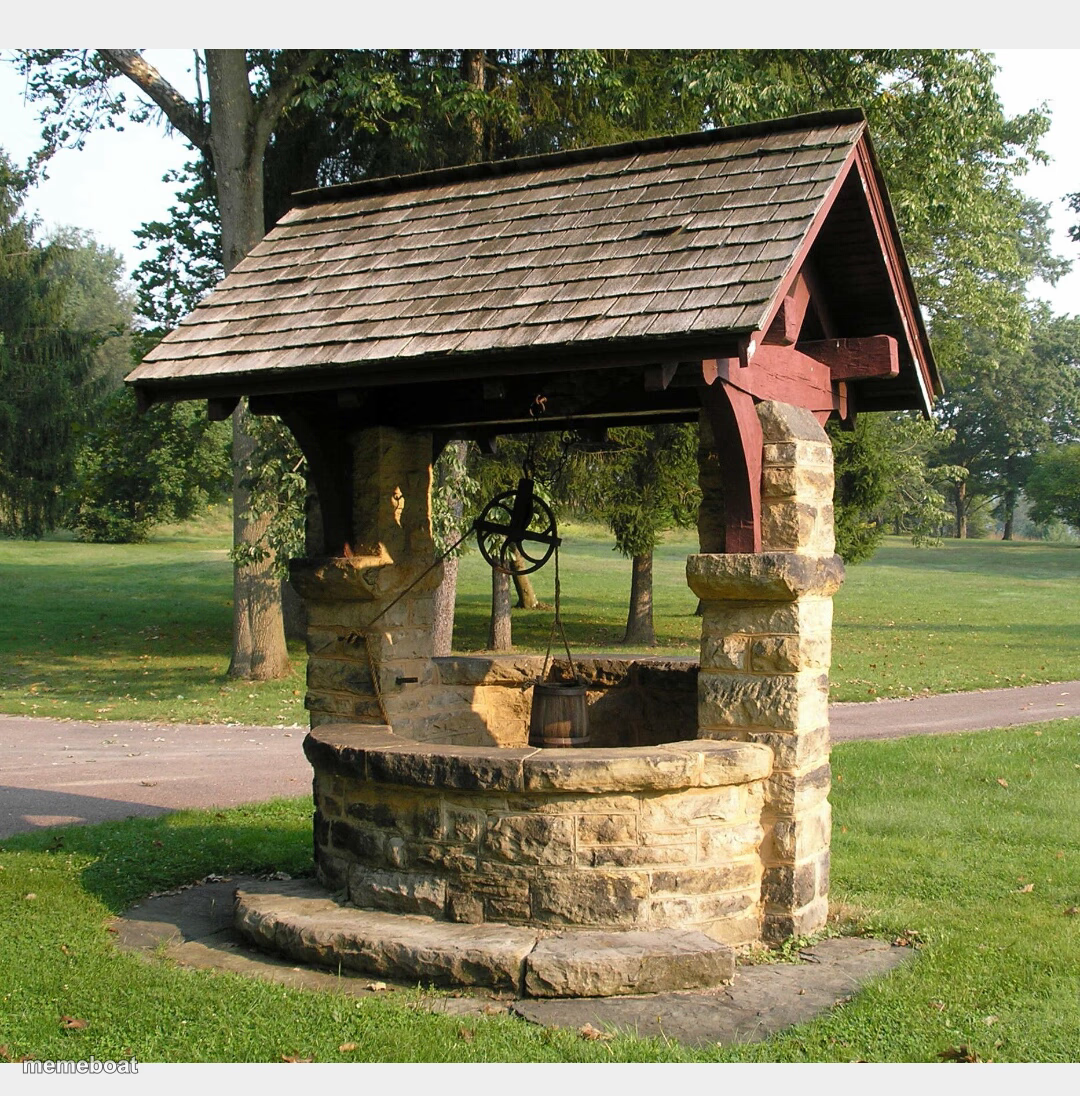
A classic stone wishing well with a wooden roof and hanging bucket, ready for jokes about hopeless wishes and bad decisions. Caption it free.
Blank Wishing well meme template
Download the blank Wishing well template to caption it yourself, or add your text right here in the editor above and download the finished meme.
When to use the Wishing well meme
- making a wish that has zero chance of coming true
- throwing money at a problem instead of fixing it
- asking the universe for something wildly unrealistic
- the one place left to vent when nothing else works
Wishing well template facts
- Dimensions
- 1080 × 1096 px
- Format
- JPG
- Text boxes
- 2
- Added
- 2025
About the Wishing well meme template
It's a real, honest-to-goodness wishing well — stone base, shingled roof, bucket on a rope, sitting quietly in a park like it's waiting for someone to toss in a coin and immediately regret it.
Great template for jokes about desperate wishes, throwing money at problems that won't be solved, or making a wish so unrealistic the well itself should refuse it.
Popular Wishing well caption ideas
Me, throwing my last $2 in · hoping rent pays itself
Threw in a coin and wished · my ex would text first
Templates similar to Wishing well



Wishing well meme FAQ
How do I make a Wishing well meme?
Scroll up to the Wishing well template, type your caption into the 2 text boxes in the editor above, adjust the font, size and color if you like, then click download. Your finished Wishing well meme is ready to share in seconds.
Can I use the Wishing well template for free?
Yes. The Wishing well template is completely free to use — no signup and no limits on how many memes you create or where you share them.
How do I download my Wishing well meme?
Click the download button under the editor once your Wishing well meme looks right. It saves straight to your device as a high-quality PNG or JPEG image.
How do I download the blank Wishing well template?
Use the "Download blank template" button in the blank Wishing well template section above to save the original, un-captioned image — handy if you'd rather caption it in another app or keep a copy.