
who will win Meme Generator
Create Your who will win Meme

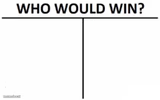
The classic hand-drawn 'who will win' fork template with a blank left and right side to fill in your own showdown. Caption and download it free in seconds.
Blank who will win meme template
Download the blank who will win template to caption it yourself, or add your text right here in the editor above and download the finished meme.
When to use the who will win meme
- One tiny annoying thing vs your entire mood for the day
- A four-word text vs your anxiety spiral
- Common sense vs your group chat's terrible idea
- Sleep vs one more episode
who will win template facts
- Dimensions
- 1095 × 649 px
- Format
- PNG
- Text boxes
- 2
- Added
- 2026
About the who will win meme template
It's the internet's favorite way to stage a fight: a single squiggly road that splits into two branches under the words 'who will win,' with nothing on either side yet. That blank space is the whole joke — you get to decide who's duking it out.
Popular who will win caption ideas
3 CHILDREN AND AN OLD MAN · THE TITAN OF HYPERDEATH
A single mosquito · Your entire night's sleep
My to-do list · My ability to make eye contact with it
One typo in the group chat · The next 45 minutes of jokes
Templates similar to who will win
who will win meme FAQ
How do I make a who will win meme?
Scroll up to the who will win template, type your caption into the 2 text boxes in the editor above, adjust the font, size and color if you like, then click download. Your finished who will win meme is ready to share in seconds.
Can I use the who will win template for free?
Yes. The who will win template is completely free to use — no signup and no limits on how many memes you create or where you share them.
How do I download my who will win meme?
Click the download button under the editor once your who will win meme looks right. It saves straight to your device as a high-quality PNG or JPEG image.
How do I download the blank who will win template?
Use the "Download blank template" button in the blank who will win template section above to save the original, un-captioned image — handy if you'd rather caption it in another app or keep a copy.