
What if dinosaur Meme Generator
Create Your What if dinosaur Meme
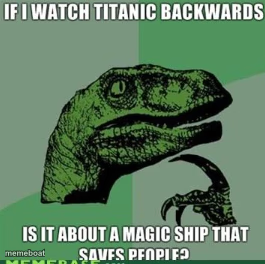
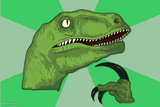
The classic green Philosoraptor pondering a mind-bending question — the go-to template for absurd 'what if' logic. Caption it free.
Blank What if dinosaur meme template
Download the blank What if dinosaur template to caption it yourself, or add your text right here in the editor above and download the finished meme.
When to use the What if dinosaur meme
- Posing a fake-deep hypothetical that makes no actual sense
- Questioning everyday logic in the most overthinking way possible
- That 3am shower thought that felt like a breakthrough
What if dinosaur template facts
- Featuring
- Philosoraptor (Philosoraptor meme)
- Dimensions
- 265 × 264 px
- Format
- PNG
- Added
- 2025
About the What if dinosaur meme template
The velociraptor of deep, slightly stoned philosophical questions is back, staring off into the distance wondering things nobody asked. Green scales, sharp claws, and a brain full of nonsense logic.
Perfect for those 'wait... what if' thoughts that sound profound for about two seconds before falling apart. Any question that starts with 'if you think about it' belongs here.
Templates similar to What if dinosaur


What if dinosaur meme FAQ
How do I make a What if dinosaur meme?
Scroll up to the What if dinosaur template, add your own text boxes in the editor above and type your captions, adjust the font, size and color if you like, then click download. Your finished What if dinosaur meme is ready to share in seconds.
Can I use the What if dinosaur template for free?
Yes. The What if dinosaur template is completely free to use — no signup and no limits on how many memes you create or where you share them.
How do I download my What if dinosaur meme?
Click the download button under the editor once your What if dinosaur meme looks right. It saves straight to your device as a high-quality PNG or JPEG image.
How do I download the blank What if dinosaur template?
Use the "Download blank template" button in the blank What if dinosaur template section above to save the original, un-captioned image — handy if you'd rather caption it in another app or keep a copy.