
Weird Al Yankovic Meme Generator
Create Your Weird Al Yankovic Meme
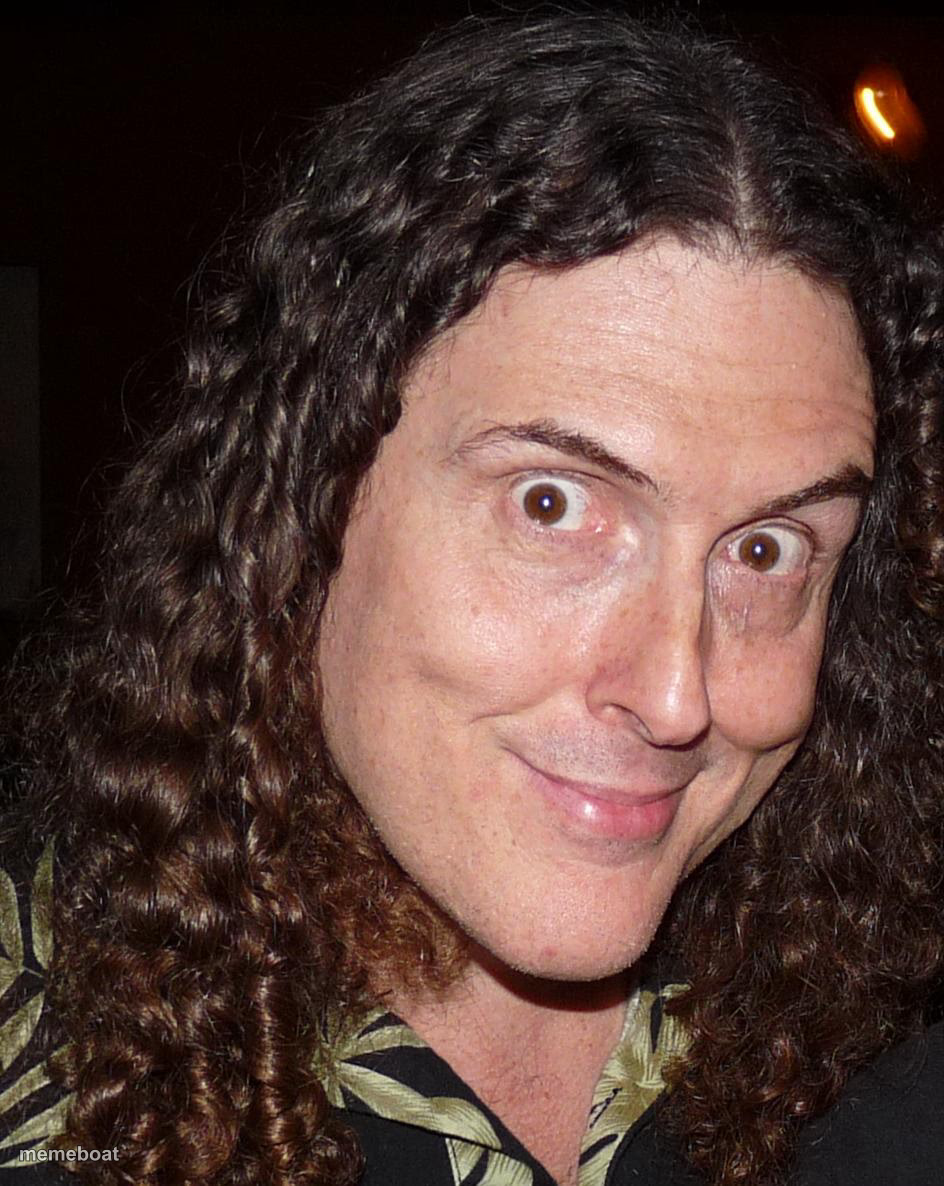
Weird Al Yankovic giving a mischievous close-up smirk. Ideal for parody, sarcasm, or 'I have a weird idea' jokes. Caption and download free.
Blank Weird Al Yankovic meme template
Download the blank Weird Al Yankovic template to caption it yourself, or add your text right here in the editor above and download the finished meme.
When to use the Weird Al Yankovic meme
- Announcing a parody version of something serious
- That look right before you make a terrible pun
- Pitching an idea everyone will immediately regret approving
- Reacting to your own joke before anyone else laughs
Weird Al Yankovic template facts
- Featuring
- Weird Al Yankovic
- Dimensions
- 944 × 1186 px
- Format
- JPG
- Added
- 2025
About the Weird Al Yankovic meme template
That specific curly-haired, wide-eyed smirk that says 'I just thought of something ridiculous and I'm doing it anyway.' Weird Al up close, looking like he's about to pitch you the world's dumbest great idea.
Great for parody energy, mischievous plans, and anything involving accordions in spirit if not in fact. Works anytime someone's about to do a bit nobody asked for.
Templates similar to Weird Al Yankovic

Weird Al Yankovic meme FAQ
How do I make a Weird Al Yankovic meme?
Scroll up to the Weird Al Yankovic template, add your own text boxes in the editor above and type your captions, adjust the font, size and color if you like, then click download. Your finished Weird Al Yankovic meme is ready to share in seconds.
Can I use the Weird Al Yankovic template for free?
Yes. The Weird Al Yankovic template is completely free to use — no signup and no limits on how many memes you create or where you share them.
How do I download my Weird Al Yankovic meme?
Click the download button under the editor once your Weird Al Yankovic meme looks right. It saves straight to your device as a high-quality PNG or JPEG image.
How do I download the blank Weird Al Yankovic template?
Use the "Download blank template" button in the blank Weird Al Yankovic template section above to save the original, un-captioned image — handy if you'd rather caption it in another app or keep a copy.