
Warning signs Meme Generator
Create Your Warning signs Meme
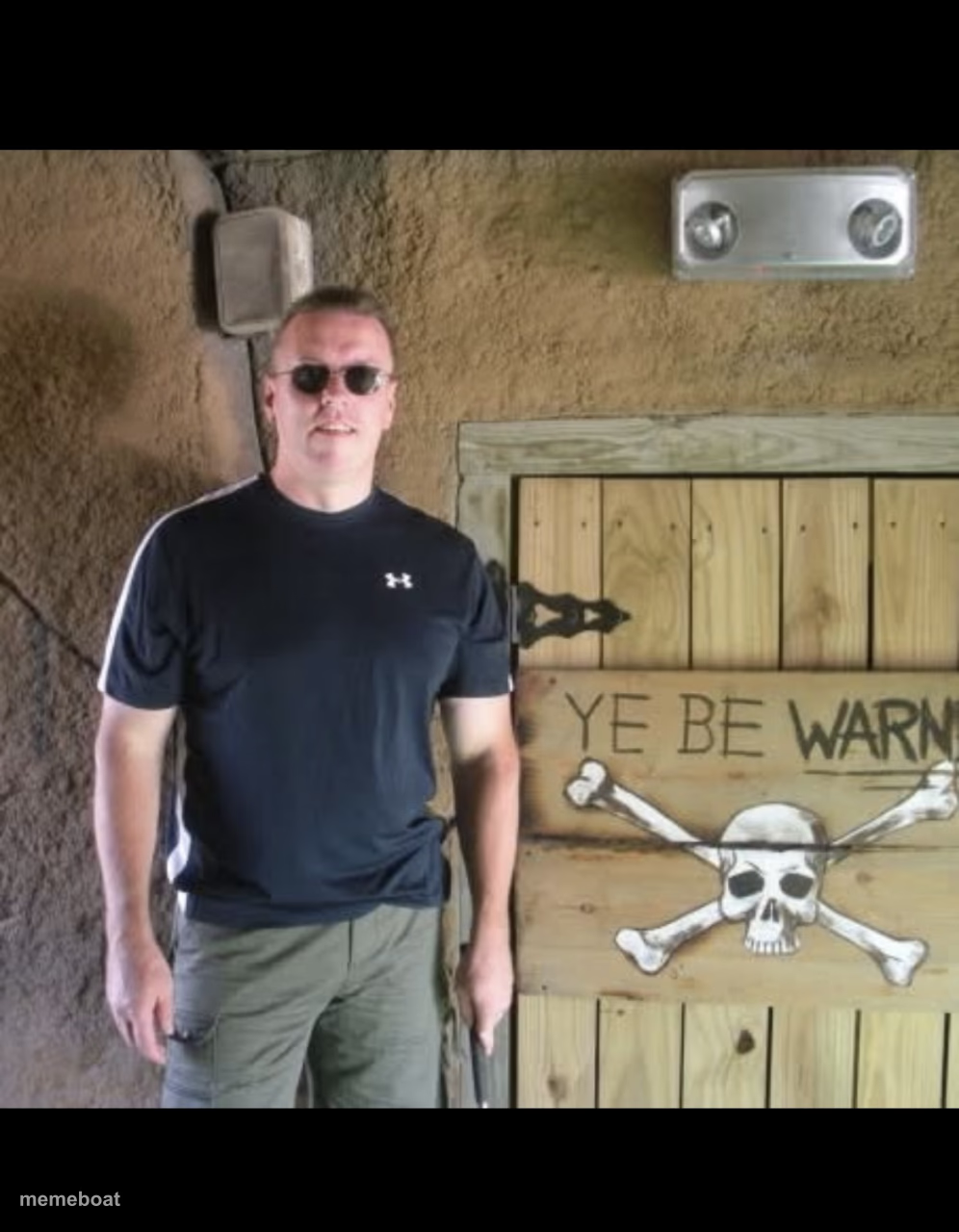
A man in sunglasses poses beside a skull-and-crossbones 'Ye Be Warned' sign — a warning-label template for consequences and bad decisions ahead.
Blank Warning signs meme template
Download the blank Warning signs template to caption it yourself, or add your text right here in the editor above and download the finished meme.
When to use the Warning signs meme
- Warning someone before they open the group chat
- That one coworker before Monday's meeting
- Announcing you've read the terms and conditions (you haven't)
- Gatekeeping the office fridge leftovers
Warning signs template facts
- Dimensions
- 996 × 1280 px
- Format
- JPG
- Text boxes
- 2
- Added
- 2025
About the Warning signs meme template
A guy in sunglasses stands next to a wooden door plastered with a skull-and-crossbones sign reading 'Ye Be Warned' — the vibe is pure haunted-attraction-employee energy, and it's begging to be used for anything that comes with a serious side of consequences.
Popular Warning signs caption ideas
WHEN THE SIGNS WARN YOU · LITERALLY
what's behind this door · your search history
me before telling you · how my day actually went
this text · before you reply all

Warning signs meme FAQ
How do I make a Warning signs meme?
Scroll up to the Warning signs template, type your caption into the 2 text boxes in the editor above, adjust the font, size and color if you like, then click download. Your finished Warning signs meme is ready to share in seconds.
Can I use the Warning signs template for free?
Yes. The Warning signs template is completely free to use — no signup and no limits on how many memes you create or where you share them.
How do I download my Warning signs meme?
Click the download button under the editor once your Warning signs meme looks right. It saves straight to your device as a high-quality PNG or JPEG image.
How do I download the blank Warning signs template?
Use the "Download blank template" button in the blank Warning signs template section above to save the original, un-captioned image — handy if you'd rather caption it in another app or keep a copy.