
VS Screen Meme Generator
Create Your VS Screen Meme

The classic red-and-black "VS" battle screen — drop in two fighters, teams, or ideas and download your matchup meme free.
Blank VS Screen meme template
Download the blank VS Screen template to caption it yourself, or add your text right here in the editor above and download the finished meme.
When to use the VS Screen meme
- Settling an argument about which food/show/game is objectively better
- Framing a petty sibling rivalry as an epic showdown
- Turning two random photos into a dramatic matchup
- Hyping up a group chat debate like a championship fight
VS Screen template facts
- Dimensions
- 1280 × 720 px
- Format
- JPG
- Text boxes
- 2
- Added
- 2026
About the VS Screen meme template
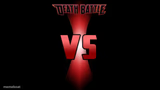
A dramatic red hourglass beam slicing through darkness with a bold white-outlined VS smack in the middle. This is the universal fighting-game intro screen, and it instantly makes anything feel like a life-or-death showdown.
Throw two photos, characters, opinions, or snack foods on either side and suddenly it's a title match. Great for petty rivalries, tier-list debates, or just deciding who wins between two completely unrelated things.
Popular VS Screen caption ideas
WHO WOULD WIN IN A FIGHT · A MINIC · NANA
Pineapple on pizza · People with taste
Me at 11:58pm · Me at 12:01am, wide awake
My to-do list · My motivation
Templates similar to VS Screen



VS Screen meme FAQ
How do I make a VS Screen meme?
Scroll up to the VS Screen template, type your caption into the 2 text boxes in the editor above, adjust the font, size and color if you like, then click download. Your finished VS Screen meme is ready to share in seconds.
Can I use the VS Screen template for free?
Yes. The VS Screen template is completely free to use — no signup and no limits on how many memes you create or where you share them.
How do I download my VS Screen meme?
Click the download button under the editor once your VS Screen meme looks right. It saves straight to your device as a high-quality PNG or JPEG image.
How do I download the blank VS Screen template?
Use the "Download blank template" button in the blank VS Screen template section above to save the original, un-captioned image — handy if you'd rather caption it in another app or keep a copy.