
Uno skip card Meme Generator
Create Your Uno skip card Meme
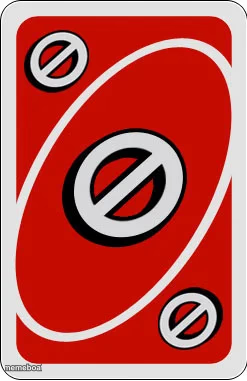
Red Uno Skip card template — the universal symbol for shutting something down or skipping your turn on a bad situation. Caption it free and download instantly.
Blank Uno skip card meme template
Download the blank Uno skip card template to caption it yourself, or add your text right here in the editor above and download the finished meme.
When to use the Uno skip card meme
- Reacting to a bad decision by skipping straight past it
- Declining plans or a chore without discussion
- Skipping someone's turn to talk in an argument
Uno skip card template facts
- Dimensions
- 247 × 381 px
- Format
- PNG
- Text boxes
- 1
- Added
- 2025
About the Uno skip card meme template
That red circle-slash is Uno's universal 'nope' card, and it's become shorthand for skipping past anything unpleasant, awkward, or just not worth dealing with. Drop it over a bad decision, a chore, or a conversation you're not having today.
It works as a reaction image on its own or as a caption template if you want to spell out exactly what's getting skipped.
Popular Uno skip card caption ideas
"This video is sponsored by-" · UNO skip card activated!
MONDAY MORNING
THAT AWKWARD CONVERSATION
MY WILL TO DO LAUNDRY
Templates similar to Uno skip card
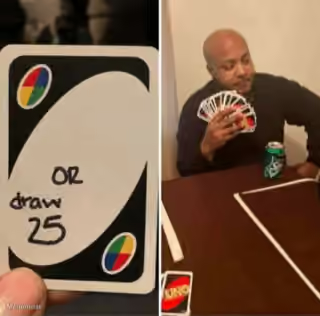

Uno skip card meme FAQ
How do I make a Uno skip card meme?
Scroll up to the Uno skip card template, type your caption into the text box in the editor above, adjust the font, size and color if you like, then click download. Your finished Uno skip card meme is ready to share in seconds.
Can I use the Uno skip card template for free?
Yes. The Uno skip card template is completely free to use — no signup and no limits on how many memes you create or where you share them.
How do I download my Uno skip card meme?
Click the download button under the editor once your Uno skip card meme looks right. It saves straight to your device as a high-quality PNG or JPEG image.
How do I download the blank Uno skip card template?
Use the "Download blank template" button in the blank Uno skip card template section above to save the original, un-captioned image — handy if you'd rather caption it in another app or keep a copy.