
Two Curious Puppies Meme Generator
Create Your Two Curious Puppies Meme
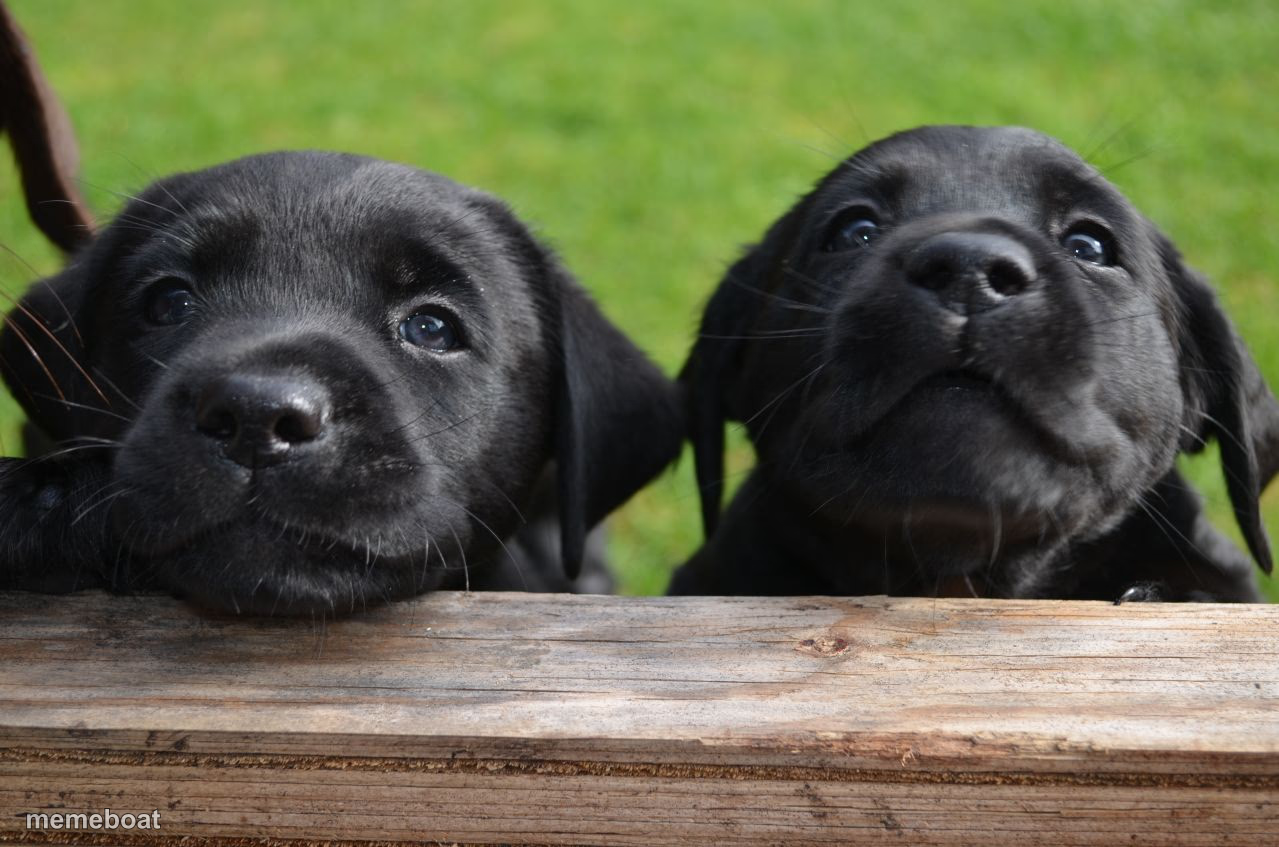
Two black Labrador puppies peeking over a wooden ledge with big curious eyes. Perfect wholesome reaction image for anything cute or nosy. Caption free.
Blank Two Curious Puppies meme template
Download the blank Two Curious Puppies template to caption it yourself, or add your text right here in the editor above and download the finished meme.
When to use the Two Curious Puppies meme
- You and your roommate hearing the neighbors argue
- Two coworkers reacting to office gossip
- Waiting by the door the second you hear the treat bag
- Eavesdropping on a conversation you weren't part of
Two Curious Puppies template facts
- Dimensions
- 1279 × 847 px
- Format
- PNG
- Added
- 2025
About the Two Curious Puppies meme template
Two black lab puppies pop their heads up over a fence rail like they just heard something interesting happen in the yard. One's giving side-eye, the other's staring straight into your soul with pure puppy nosiness.
This is your go-to for wholesome nosy-friend energy, gossip reactions, or anything about two people (or pets) eavesdropping on drama they weren't invited into.
Templates similar to Two Curious Puppies


Two Curious Puppies meme FAQ
How do I make a Two Curious Puppies meme?
Scroll up to the Two Curious Puppies template, add your own text boxes in the editor above and type your captions, adjust the font, size and color if you like, then click download. Your finished Two Curious Puppies meme is ready to share in seconds.
Can I use the Two Curious Puppies template for free?
Yes. The Two Curious Puppies template is completely free to use — no signup and no limits on how many memes you create or where you share them.
How do I download my Two Curious Puppies meme?
Click the download button under the editor once your Two Curious Puppies meme looks right. It saves straight to your device as a high-quality PNG or JPEG image.
How do I download the blank Two Curious Puppies template?
Use the "Download blank template" button in the blank Two Curious Puppies template section above to save the original, un-captioned image — handy if you'd rather caption it in another app or keep a copy.