
Twin Towers Meme Generator
Create Your Twin Towers Meme
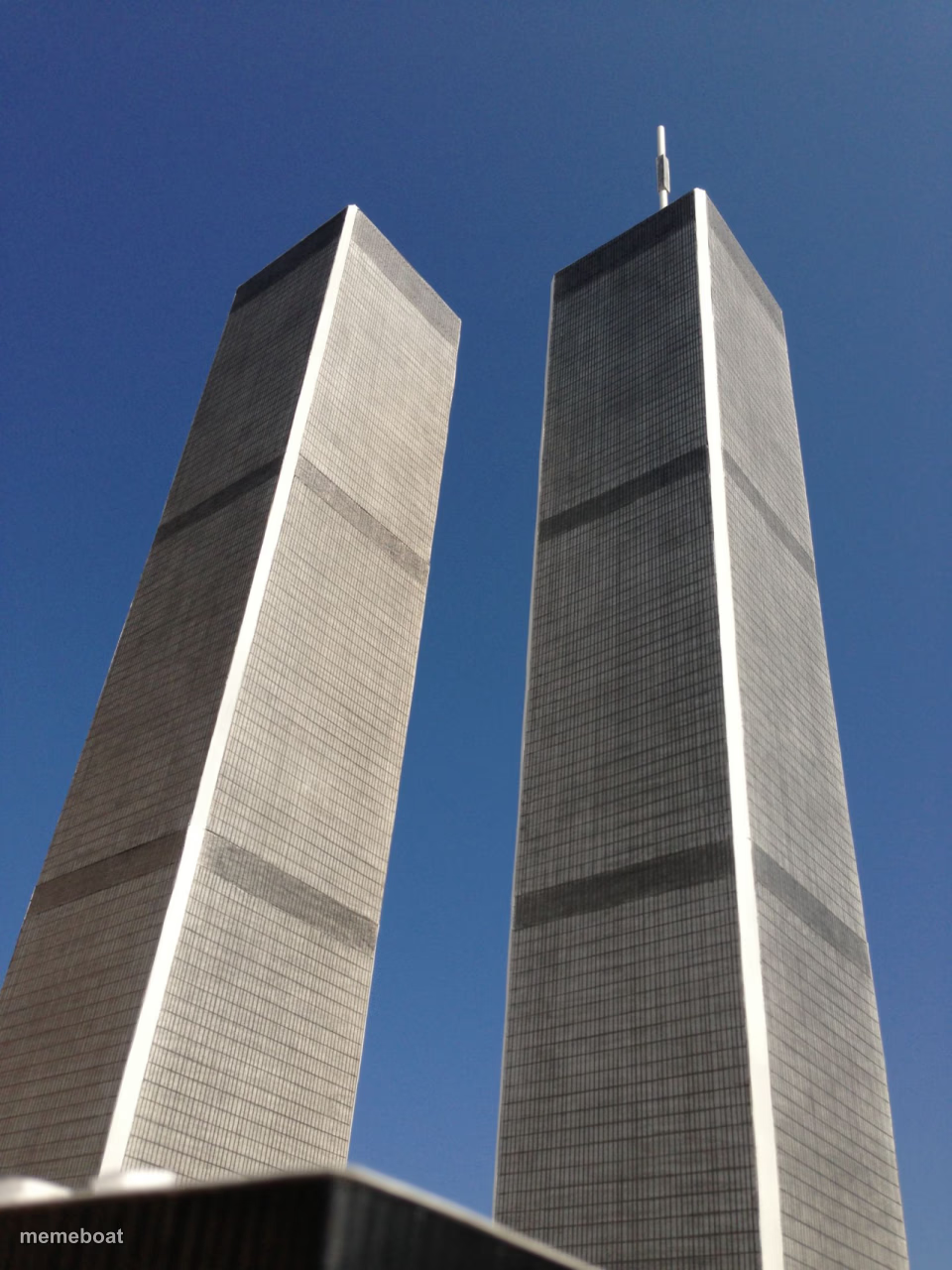
A low-angle photo of the World Trade Center's Twin Towers against a clear blue sky. Caption it and download your meme free, no sign-up needed.
Blank Twin Towers meme template
Download the blank Twin Towers template to caption it yourself, or add your text right here in the editor above and download the finished meme.
When to use the Twin Towers meme
- Comparing two nearly identical choices standing side by side
- Labeling the towers as two similar personality types or friends
- A 'these two are basically the same' visual gag
- Nostalgic reference to something from another era
Twin Towers template facts
- Featuring
- World Trade Center (New York City)
- Dimensions
- 960 × 1280 px
- Format
- JPG
- Added
- 2025
About the Twin Towers meme template
A striking upward shot of the original Twin Towers standing side by side under a perfect blue sky. It's an image loaded with history, which is exactly why it gets used for 'two identical things standing together' jokes, comparison memes, or nostalgic before-times humor.
Handle with the obvious care the subject deserves, but it remains one of the internet's go-to templates for pairing two nearly-identical options, people, or ideas side by side.


Twin Towers meme FAQ
How do I make a Twin Towers meme?
Scroll up to the Twin Towers template, add your own text boxes in the editor above and type your captions, adjust the font, size and color if you like, then click download. Your finished Twin Towers meme is ready to share in seconds.
Can I use the Twin Towers template for free?
Yes. The Twin Towers template is completely free to use — no signup and no limits on how many memes you create or where you share them.
How do I download my Twin Towers meme?
Click the download button under the editor once your Twin Towers meme looks right. It saves straight to your device as a high-quality PNG or JPEG image.
How do I download the blank Twin Towers template?
Use the "Download blank template" button in the blank Twin Towers template section above to save the original, un-captioned image — handy if you'd rather caption it in another app or keep a copy.