
Tree Meme Generator
Create Your Tree Meme
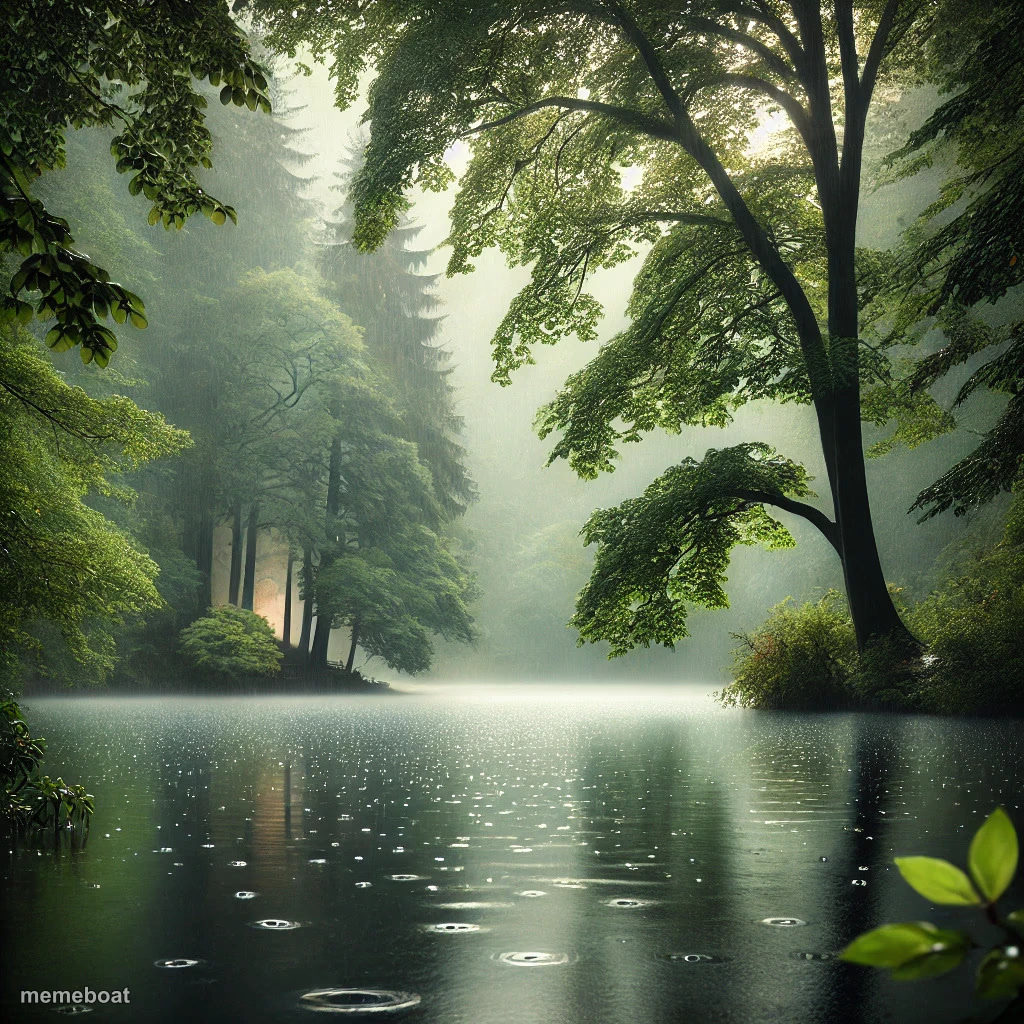
A quiet, misty forest lake in the rain — peaceful, a little melancholic. Great for calm-before-chaos or 'inner peace' jokes. Caption it free.
Blank Tree meme template
Download the blank Tree template to caption it yourself, or add your text right here in the editor above and download the finished meme.
When to use the Tree meme
- Captioning 'finding myself' while your life is actually chaos
- The calm before you check your bank account
- Pretending you're at peace right before a group project meltdown
- What your mind looks like for exactly four seconds a day
Tree template facts
- Dimensions
- 1024 × 1024 px
- Format
- JPG
- Text boxes
- 2
- Added
- 2025
About the Tree meme template
Rain falling softly on a still forest lake, mist hanging low between the trees — this is the visual equivalent of a deep breath. It's the kind of scene people caption with fake serenity right before admitting their life is falling apart.
Use it for 'finding my inner peace' jokes, ironic calm captions before chaos, or genuine moody nature vibes if you just want something pretty with a punchline on top.
Popular Tree caption ideas
Upvote for trees · Don't upvote if you don't like trees
Me: I am one with nature · Also me: still thinking about that email
Templates similar to Tree


Tree meme FAQ
How do I make a Tree meme?
Scroll up to the Tree template, type your caption into the 2 text boxes in the editor above, adjust the font, size and color if you like, then click download. Your finished Tree meme is ready to share in seconds.
Can I use the Tree template for free?
Yes. The Tree template is completely free to use — no signup and no limits on how many memes you create or where you share them.
How do I download my Tree meme?
Click the download button under the editor once your Tree meme looks right. It saves straight to your device as a high-quality PNG or JPEG image.
How do I download the blank Tree template?
Use the "Download blank template" button in the blank Tree template section above to save the original, un-captioned image — handy if you'd rather caption it in another app or keep a copy.