
Trash, right? Meme Generator
Create Your Trash, right? Meme
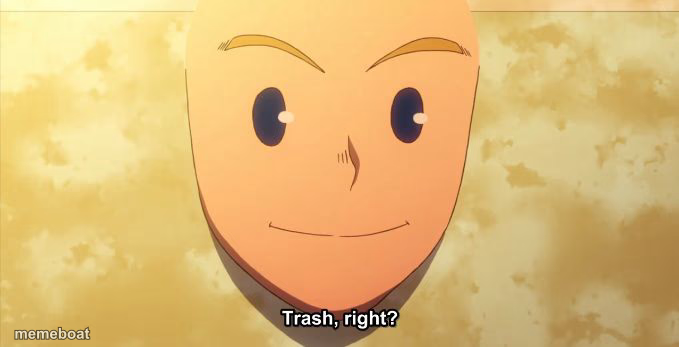
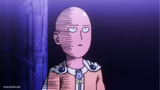
Saitama's blank, unbothered bald face with the subtitle "Trash, right?" — perfect for dismissing anything low-effort. Caption it free.
Blank Trash, right? meme template
Download the blank Trash, right? template to caption it yourself, or add your text right here in the editor above and download the finished meme.
When to use the Trash, right? meme
- Reacting to a movie sequel that clearly should not have been made
- Judging a coworker's 'genius' idea in the group chat
- Looking at your bank account after payday weekend
- Responding to someone's hot take with zero emotion
Trash, right? template facts
- Featuring
- Saitama (One Punch Man)
- Dimensions
- 679 × 347 px
- Format
- JPG
- Added
- 2025
About the Trash, right? meme template
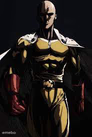
That eerily calm, half-smiling bald face belongs to Saitama from One Punch Man, caught mid-deadpan as he casually asks "Trash, right?" It's the face of someone who has seen everything, cares about none of it, and is already bored of the conversation.
Use it whenever something is obviously garbage but everyone's pretending otherwise — a meeting, a movie, a diet plan, an ex's apology. Swap the subtitle or add your own caption and let that blank stare do the talking. Free to customize and download, no login needed.
Templates similar to Trash, right?



Trash, right? meme FAQ
How do I make a Trash, right? meme?
Scroll up to the Trash, right? template, add your own text boxes in the editor above and type your captions, adjust the font, size and color if you like, then click download. Your finished Trash, right? meme is ready to share in seconds.
Can I use the Trash, right? template for free?
Yes. The Trash, right? template is completely free to use — no signup and no limits on how many memes you create or where you share them.
How do I download my Trash, right? meme?
Click the download button under the editor once your Trash, right? meme looks right. It saves straight to your device as a high-quality PNG or JPEG image.
How do I download the blank Trash, right? template?
Use the "Download blank template" button in the blank Trash, right? template section above to save the original, un-captioned image — handy if you'd rather caption it in another app or keep a copy.