
Tic Tac Box Meme Generator
Create Your Tic Tac Box Meme
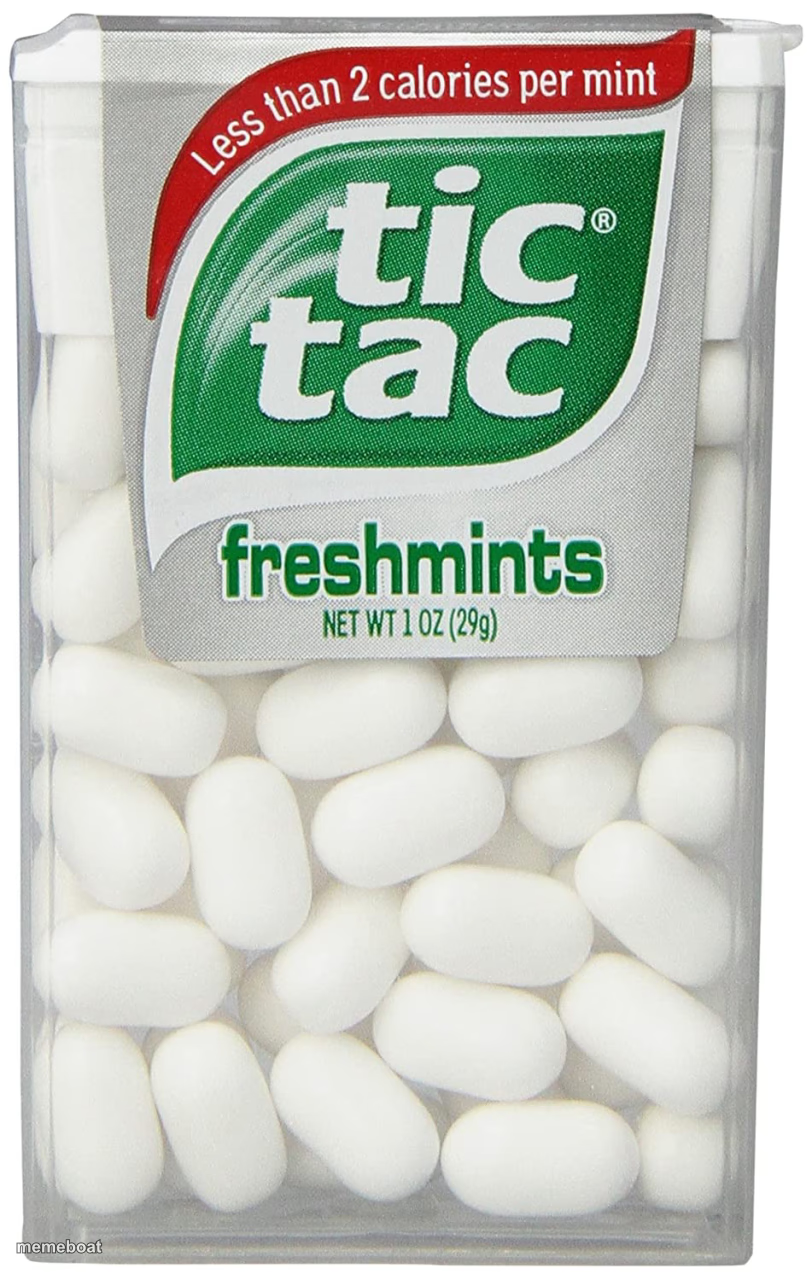
A plain box of Tic Tac freshmints, the tiny breath-mint container everyone rattles obsessively. Ideal for jokes about small things and big habits. Caption free.
Blank Tic Tac Box meme template
Download the blank Tic Tac Box template to caption it yourself, or add your text right here in the editor above and download the finished meme.
When to use the Tic Tac Box meme
- Popping way too many mints because you can't stop
- Something small that packs way more impact than expected
- That one thing rattling in your bag or pocket all day
- Comparing a tiny problem to a tiny mint that somehow ruins your day
Tic Tac Box template facts
- Featuring
- Tic Tac (Tic Tac Freshmints)
- Dimensions
- 812 × 1280 px
- Format
- JPG
- Added
- 2025
About the Tic Tac Box meme template
It's a box of Tic Tacs. Less than 2 calories per mint, technically candy, definitely a fidget toy disguised as breath freshener. Everybody has rattled one of these in a pocket during a silent meeting.
Use it for jokes about tiny addictive habits, popping way too many at once, or comparing something small but mighty to a mint that's somehow always in your bag.
Popular Tic Tac Box caption ideas
WHO REMEMBERED · PRETENDING THESE WERE PILLS
Templates similar to Tic Tac Box




Tic Tac Box meme FAQ
How do I make a Tic Tac Box meme?
Scroll up to the Tic Tac Box template, add your own text boxes in the editor above and type your captions, adjust the font, size and color if you like, then click download. Your finished Tic Tac Box meme is ready to share in seconds.
Can I use the Tic Tac Box template for free?
Yes. The Tic Tac Box template is completely free to use — no signup and no limits on how many memes you create or where you share them.
How do I download my Tic Tac Box meme?
Click the download button under the editor once your Tic Tac Box meme looks right. It saves straight to your device as a high-quality PNG or JPEG image.
How do I download the blank Tic Tac Box template?
Use the "Download blank template" button in the blank Tic Tac Box template section above to save the original, un-captioned image — handy if you'd rather caption it in another app or keep a copy.