
Thesaurus Man Meme Generator
Create Your Thesaurus Man Meme
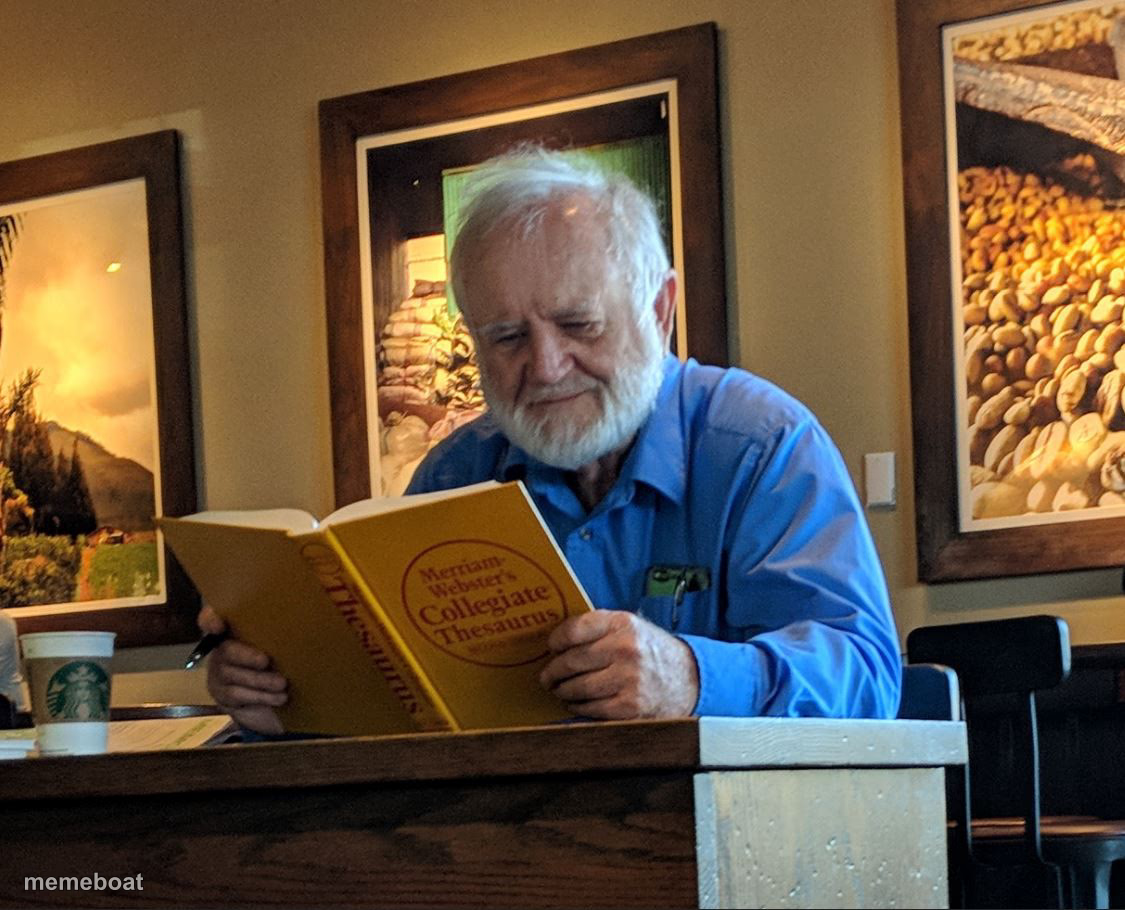
An old man in a cafe intensely flipping through a huge thesaurus, looking for the perfect word. Caption it and download free at Memeboat.
Blank Thesaurus Man meme template
Download the blank Thesaurus Man template to caption it yourself, or add your text right here in the editor above and download the finished meme.
When to use the Thesaurus Man meme
- Someone texting back with unnecessarily fancy vocabulary
- Editing an email for the fifth time to sound smarter
- Trying to avoid repeating the same word twice in an essay
- That friend who corrects your grammar mid-conversation
Thesaurus Man template facts
- Dimensions
- 1125 × 910 px
- Format
- JPG
- Added
- 2025
About the Thesaurus Man meme template
This guy is not messing around. He's sitting in a coffee shop with a physical, dead-tree thesaurus the size of a phone book, hunting for a synonym like his life depends on it. It's the energy of someone who refuses to just say "happy" when "euphoric" is right there.
Use it for anyone overcomplicating a simple sentence, word nerds, English majors, or that one coworker who replies to every Slack message like it's a thesis defense.
Templates similar to Thesaurus Man




Thesaurus Man meme FAQ
How do I make a Thesaurus Man meme?
Scroll up to the Thesaurus Man template, add your own text boxes in the editor above and type your captions, adjust the font, size and color if you like, then click download. Your finished Thesaurus Man meme is ready to share in seconds.
Can I use the Thesaurus Man template for free?
Yes. The Thesaurus Man template is completely free to use — no signup and no limits on how many memes you create or where you share them.
How do I download my Thesaurus Man meme?
Click the download button under the editor once your Thesaurus Man meme looks right. It saves straight to your device as a high-quality PNG or JPEG image.
How do I download the blank Thesaurus Man template?
Use the "Download blank template" button in the blank Thesaurus Man template section above to save the original, un-captioned image — handy if you'd rather caption it in another app or keep a copy.