
The Ad Of Ads Meme Generator
Create Your The Ad Of Ads Meme
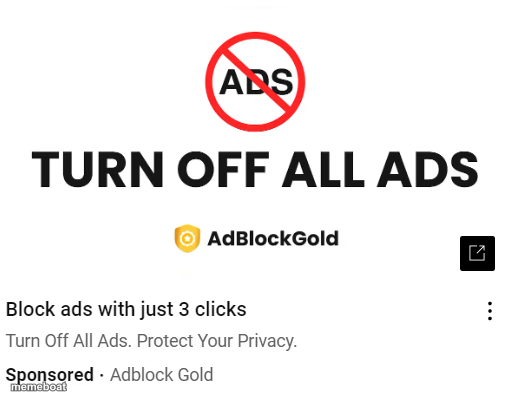
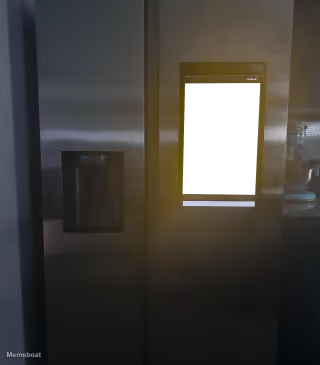
A sketchy 'block all ads' pop-up ad, ironically an ad itself. Perfect for internet-hypocrisy jokes — caption and download free.
Blank The Ad Of Ads meme template
Download the blank The Ad Of Ads template to caption it yourself, or add your text right here in the editor above and download the finished meme.
When to use the The Ad Of Ads meme
- A streaming service with ads asks you to upgrade to remove ads
- Someone posts a rant about screen time on their phone
- A diet influencer promotes a burger sponsorship
- An anti-spam newsletter that spams your inbox daily
The Ad Of Ads template facts
- Dimensions
- 512 × 400 px
- Format
- PNG
- Added
- 2025
About the The Ad Of Ads meme template
The most self-aware ad on the internet: a sponsored ad telling you to block all ads. It's the ultimate 'do as I say, not as I do' screenshot, and it basically writes its own joke before you even open the editor.
Use it for any situation dripping in irony or hypocrisy — the diet coach eating fries, the productivity guru who's always late, the politician campaigning against something they secretly do. Anywhere someone's actions contradict their own message, this template is there waiting.
Templates similar to The Ad Of Ads
The Ad Of Ads meme FAQ
How do I make a The Ad Of Ads meme?
Scroll up to the The Ad Of Ads template, add your own text boxes in the editor above and type your captions, adjust the font, size and color if you like, then click download. Your finished The Ad Of Ads meme is ready to share in seconds.
Can I use the The Ad Of Ads template for free?
Yes. The The Ad Of Ads template is completely free to use — no signup and no limits on how many memes you create or where you share them.
How do I download my The Ad Of Ads meme?
Click the download button under the editor once your The Ad Of Ads meme looks right. It saves straight to your device as a high-quality PNG or JPEG image.
How do I download the blank The Ad Of Ads template?
Use the "Download blank template" button in the blank The Ad Of Ads template section above to save the original, un-captioned image — handy if you'd rather caption it in another app or keep a copy.