
That's Rough Buddy Meme Generator
Create Your That's Rough Buddy Meme

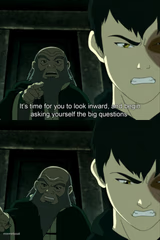
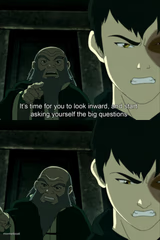
Sokka's confused face next to Zuko's deadpan 'that's rough, buddy' from Avatar: The Last Airbender — the ultimate hollow-sympathy reaction. Caption free.
Blank That's Rough Buddy meme template
Download the blank That's Rough Buddy template to caption it yourself, or add your text right here in the editor above and download the finished meme.
When to use the That's Rough Buddy meme
- Venting a huge problem to a friend who responds with zero effort
- Telling your boss about a personal crisis and getting a shrug
- Explaining a disaster to someone who clearly doesn't care
- Any time someone's 'support' is completely phoned in
That's Rough Buddy template facts
- Featuring
- Sokka and Zuko (Avatar: The Last Airbender)
- Dimensions
- 526 × 767 px
- Format
- PNG
- Added
- 2025
About the That's Rough Buddy meme template
Top panel: Sokka, mid-thought, clearly not following. Bottom panel: Zuko, completely unbothered, delivering the flattest 'that's rough, buddy' in animated history. It's become shorthand for someone offering the absolute minimum amount of sympathy possible.
Popular That's Rough Buddy caption ideas
"My show got cancelled and ended on a huge cliffhanger" · "That's rough buddy"
Templates similar to That's Rough Buddy
That's Rough Buddy meme FAQ
How do I make a That's Rough Buddy meme?
Scroll up to the That's Rough Buddy template, add your own text boxes in the editor above and type your captions, adjust the font, size and color if you like, then click download. Your finished That's Rough Buddy meme is ready to share in seconds.
Can I use the That's Rough Buddy template for free?
Yes. The That's Rough Buddy template is completely free to use — no signup and no limits on how many memes you create or where you share them.
How do I download my That's Rough Buddy meme?
Click the download button under the editor once your That's Rough Buddy meme looks right. It saves straight to your device as a high-quality PNG or JPEG image.
How do I download the blank That's Rough Buddy template?
Use the "Download blank template" button in the blank That's Rough Buddy template section above to save the original, un-captioned image — handy if you'd rather caption it in another app or keep a copy.