
Thanos Uno Reverse Card Meme Generator
Create Your Thanos Uno Reverse Card Meme
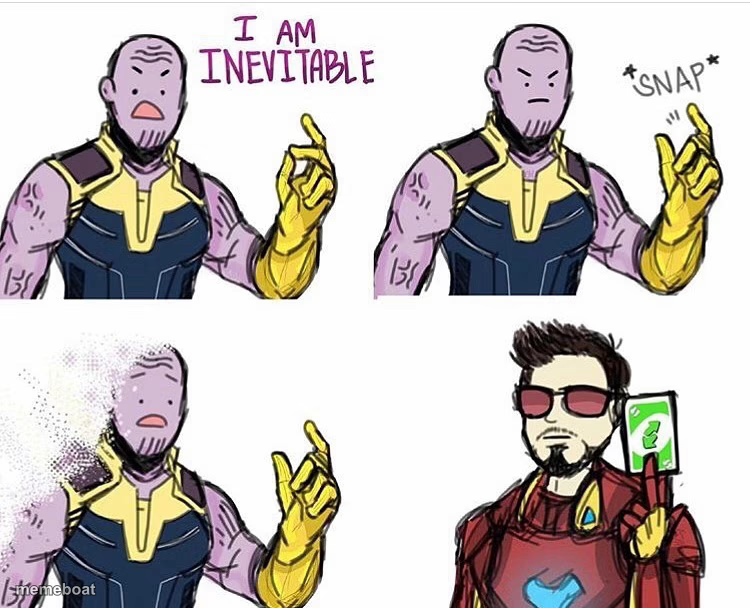
Thanos declares 'I am inevitable,' snaps, then Iron Man reverse-cards it right back. Classic 4-panel setup — caption and download free.
Blank Thanos Uno Reverse Card meme template
Download the blank Thanos Uno Reverse Card template to caption it yourself, or add your text right here in the editor above and download the finished meme.
When to use the Thanos Uno Reverse Card meme
- Someone talks huge trash right before instant karma hits
- A confident plan that immediately backfires
- When the underdog turns the villain's own move against them
Thanos Uno Reverse Card template facts
- Featuring
- Thanos (Avengers: Infinity War)
- Dimensions
- 750 × 608 px
- Format
- JPG
- Added
- 2025
About the Thanos Uno Reverse Card meme template
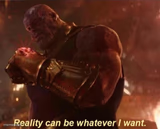
Thanos gets his whole villain monologue, snaps his fingers, starts to dissolve — and then Tony Stark shows up holding the reverse Uno card like it's nothing. The ultimate 'that comeback didn't age well' template.
Popular Thanos Uno Reverse Card caption ideas
O DAMIT · GOTEM
Templates similar to Thanos Uno Reverse Card
Thanos Uno Reverse Card meme FAQ
How do I make a Thanos Uno Reverse Card meme?
Scroll up to the Thanos Uno Reverse Card template, add your own text boxes in the editor above and type your captions, adjust the font, size and color if you like, then click download. Your finished Thanos Uno Reverse Card meme is ready to share in seconds.
Can I use the Thanos Uno Reverse Card template for free?
Yes. The Thanos Uno Reverse Card template is completely free to use — no signup and no limits on how many memes you create or where you share them.
How do I download my Thanos Uno Reverse Card meme?
Click the download button under the editor once your Thanos Uno Reverse Card meme looks right. It saves straight to your device as a high-quality PNG or JPEG image.
How do I download the blank Thanos Uno Reverse Card template?
Use the "Download blank template" button in the blank Thanos Uno Reverse Card template section above to save the original, un-captioned image — handy if you'd rather caption it in another app or keep a copy.