
Worried Zendaya Meme Generator
Create Your Worried Zendaya Meme
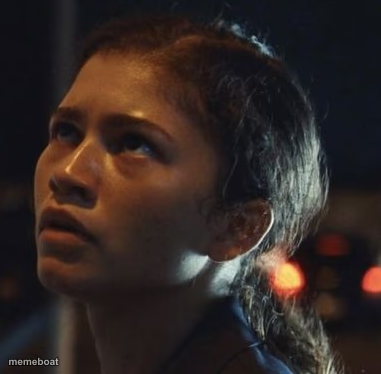
Zendaya looking up with a worried, uneasy expression in a dark nighttime scene. Perfect for anxious-anticipation captions. Caption it free.
Blank Worried Zendaya meme template
Download the blank Worried Zendaya template to caption it yourself, or add your text right here in the editor above and download the finished meme.
When to use the Worried Zendaya meme
- waiting for a text back that's taking way too long
- hearing footsteps behind you at night
- realizing you left the stove on after leaving the house
- the moment before finding out your grade
Worried Zendaya template facts
- Dimensions
- 381 × 374 px
- Format
- PNG
- Added
- 2025
About the Worried Zendaya meme template
That look you give the ceiling at 2am when your brain decides it's the perfect time to replay every awkward thing you've ever said. This dim, moody close-up of Zendaya staring upward with wide, uneasy eyes captures pure creeping dread better than words ever could.
Whether it's waiting on a text back, hearing a weird noise in the house, or realizing you hit reply-all, this face says it all. Drop your own caption on it and send it to whoever needs to feel seen.
Templates similar to Worried Zendaya
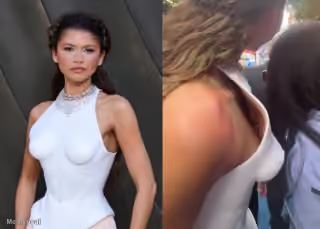
Worried Zendaya meme FAQ
How do I make a Worried Zendaya meme?
Scroll up to the Worried Zendaya template, add your own text boxes in the editor above and type your captions, adjust the font, size and color if you like, then click download. Your finished Worried Zendaya meme is ready to share in seconds.
Can I use the Worried Zendaya template for free?
Yes. The Worried Zendaya template is completely free to use — no signup and no limits on how many memes you create or where you share them.
How do I download my Worried Zendaya meme?
Click the download button under the editor once your Worried Zendaya meme looks right. It saves straight to your device as a high-quality PNG or JPEG image.
How do I download the blank Worried Zendaya template?
Use the "Download blank template" button in the blank Worried Zendaya template section above to save the original, un-captioned image — handy if you'd rather caption it in another app or keep a copy.