
Steve in the Nether Meme Generator
Create Your Steve in the Nether Meme

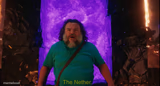
Jack Black as Steve, wide-eyed in front of a glowing nether portal — perfect for shock, disbelief, or 'wait, what?' reactions. Caption it free.
Blank Steve in the Nether meme template
Download the blank Steve in the Nether template to caption it yourself, or add your text right here in the editor above and download the finished meme.
When to use the Steve in the Nether meme
- Realizing you left something important on at home
- Seeing the group chat notification count after ignoring it all day
- Walking into a room and immediately regretting it
Steve in the Nether template facts
- Featuring
- Steve (A Minecraft Movie)
- Dimensions
- 700 × 380 px
- Format
- JPG
- Text boxes
- 1
- Added
- 2026
About the Steve in the Nether meme template
Steve stands frozen in front of a shimmering purple portal, jaw dropped, eyes locked on something he clearly did not expect to see. It's peak 'I was not prepared for this' energy straight out of A Minecraft Movie.
Popular Steve in the Nether caption ideas
WELCOME TO NETHERLANDS
WHEN YOU CHECK THE GROUP CHAT AFTER MUTING IT FOR A WEEK
MY FACE WHEN THE WIFI GOES OUT DURING THE FINAL BOSS FIGHT
WHEN YOU REALIZE YOU REPLIED-ALL TO THE WHOLE COMPANY
Templates similar to Steve in the Nether



Steve in the Nether meme FAQ
How do I make a Steve in the Nether meme?
Scroll up to the Steve in the Nether template, type your caption into the text box in the editor above, adjust the font, size and color if you like, then click download. Your finished Steve in the Nether meme is ready to share in seconds.
Can I use the Steve in the Nether template for free?
Yes. The Steve in the Nether template is completely free to use — no signup and no limits on how many memes you create or where you share them.
How do I download my Steve in the Nether meme?
Click the download button under the editor once your Steve in the Nether meme looks right. It saves straight to your device as a high-quality PNG or JPEG image.
How do I download the blank Steve in the Nether template?
Use the "Download blank template" button in the blank Steve in the Nether template section above to save the original, un-captioned image — handy if you'd rather caption it in another app or keep a copy.