
Emperor Palpatine Dark Side Meme Generator
Create Your Emperor Palpatine Dark Side Meme
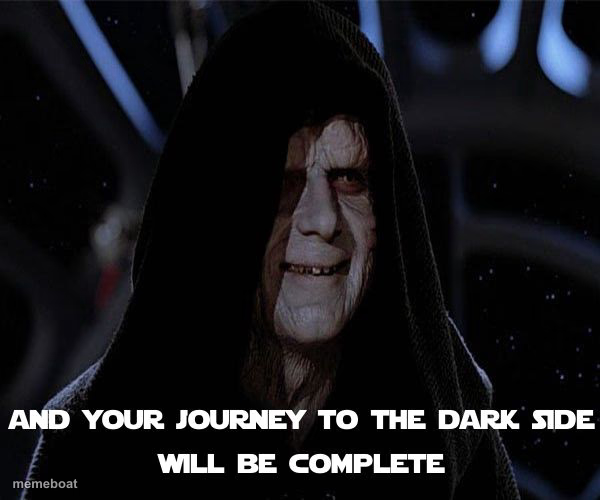
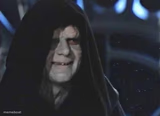
Emperor Palpatine looming in his hood declaring your journey to the dark side complete — perfect for corruption jokes. Caption it free, no sign-up.
Blank Emperor Palpatine Dark Side meme template
Download the blank Emperor Palpatine Dark Side template to caption it yourself, or add your text right here in the editor above and download the finished meme.
When to use the Emperor Palpatine Dark Side meme
- Someone finally giving in to a guilty pleasure or bad habit
- A friend converting you to their weird hobby or fandom
- Caving to peer pressure at work or school
- Slowly becoming the thing you swore you'd never be
Emperor Palpatine Dark Side template facts
- Featuring
- Emperor Palpatine (Star Wars)
- Dimensions
- 600 × 500 px
- Format
- JPG
- Added
- 2025
About the Emperor Palpatine Dark Side meme template
The Emperor's big dramatic reveal moment, hood up, grin creepy, delivering the line that seals someone's fate. It's basically the OG 'welcome to the dark side, we have cookies' energy but villain-coded.
Templates similar to Emperor Palpatine Dark Side
Emperor Palpatine Dark Side meme FAQ
How do I make a Emperor Palpatine Dark Side meme?
Scroll up to the Emperor Palpatine Dark Side template, add your own text boxes in the editor above and type your captions, adjust the font, size and color if you like, then click download. Your finished Emperor Palpatine Dark Side meme is ready to share in seconds.
Can I use the Emperor Palpatine Dark Side template for free?
Yes. The Emperor Palpatine Dark Side template is completely free to use — no signup and no limits on how many memes you create or where you share them.
How do I download my Emperor Palpatine Dark Side meme?
Click the download button under the editor once your Emperor Palpatine Dark Side meme looks right. It saves straight to your device as a high-quality PNG or JPEG image.
How do I download the blank Emperor Palpatine Dark Side template?
Use the "Download blank template" button in the blank Emperor Palpatine Dark Side template section above to save the original, un-captioned image — handy if you'd rather caption it in another app or keep a copy.