
Smug SpongeBob Meme Generator
Create Your Smug SpongeBob Meme

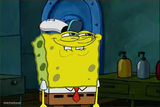
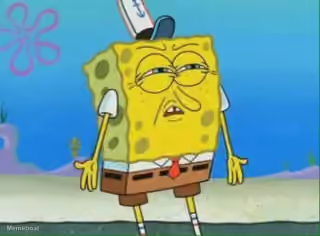
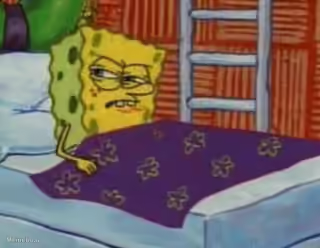
SpongeBob smirking with half-closed eyes, looking smug and confident at night. Ideal for cocky reactions and 'I know something you don't' moments. Free to caption.
Blank Smug SpongeBob meme template
Download the blank Smug SpongeBob template to caption it yourself, or add your text right here in the editor above and download the finished meme.
When to use the Smug SpongeBob meme
- Replying to a text at 2am like it's totally normal
- Winning an argument you had no business winning
- Pretending you meant to do that embarrassing thing
Smug SpongeBob template facts
- Featuring
- SpongeBob SquarePants
- Dimensions
- 554 × 397 px
- Format
- JPG
- Text boxes
- 1
- Added
- 2026
About the Smug SpongeBob meme template
SpongeBob with the sleepy, smug half-grin he gets right before he says something a little too confident. That drooping eyelid and crooked smile scream 'I absolutely did that on purpose.'
Great for humble-bragging, quietly winning an argument, or reacting to your own questionable but successful decisions late at night.
Popular Smug SpongeBob caption ideas
ONE SPICY DOWN VOTE · COMING UP
Me after sending 'we need to talk' with zero follow-up plan
When you fix the bug by turning it off and on again
Told them I was 'working from home' today
Smug SpongeBob meme FAQ
How do I make a Smug SpongeBob meme?
Scroll up to the Smug SpongeBob template, type your caption into the text box in the editor above, adjust the font, size and color if you like, then click download. Your finished Smug SpongeBob meme is ready to share in seconds.
Can I use the Smug SpongeBob template for free?
Yes. The Smug SpongeBob template is completely free to use — no signup and no limits on how many memes you create or where you share them.
How do I download my Smug SpongeBob meme?
Click the download button under the editor once your Smug SpongeBob meme looks right. It saves straight to your device as a high-quality PNG or JPEG image.
How do I download the blank Smug SpongeBob template?
Use the "Download blank template" button in the blank Smug SpongeBob template section above to save the original, un-captioned image — handy if you'd rather caption it in another app or keep a copy.