
SpInGeBoB Meme Generator
Create Your SpInGeBoB Meme
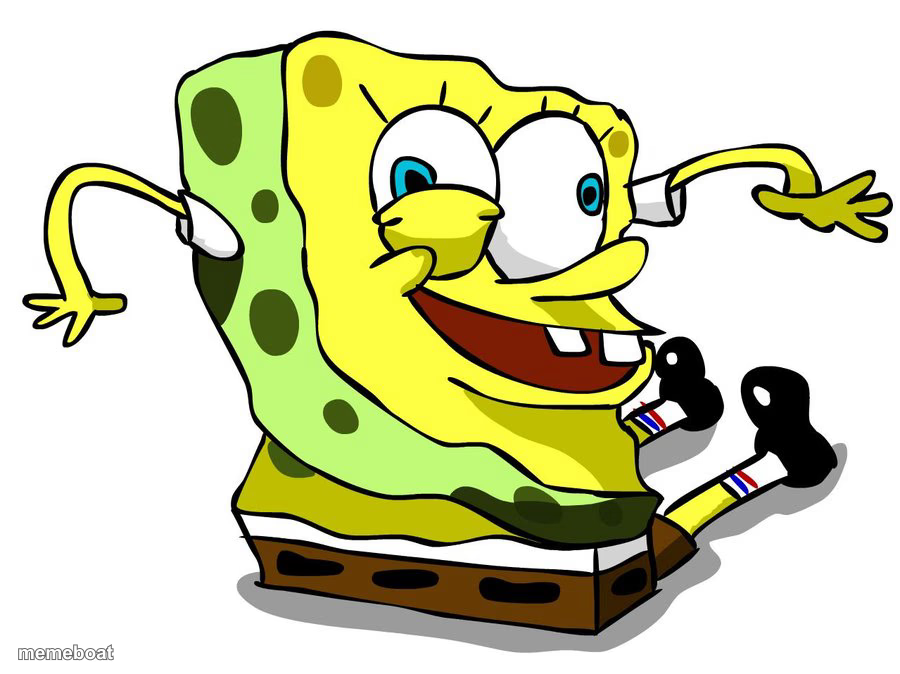
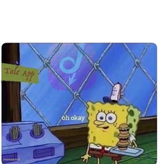
SpongeBob in his classic hunched, hands-up mocking pose — the internet's go-to for sarcastically repeating what someone just said. Caption and download free.
Blank SpInGeBoB meme template
Download the blank SpInGeBoB template to caption it yourself, or add your text right here in the editor above and download the finished meme.
When to use the SpInGeBoB meme
- Repeating someone's bad take back at them in mocking capital letters
- Mimicking your manager's excuse for why the raise got delayed
- Making fun of a friend's confidently wrong movie opinion
- Roasting a coworker's excuse for missing the deadline
SpInGeBoB template facts
- Featuring
- SpongeBob SquarePants
- Dimensions
- 900 × 674 px
- Format
- JPG
- Text boxes
- 1
- Added
- 2025
About the SpInGeBoB meme template
SpongeBob crouched over with his hands up and a big dumb grin, mid-transformation into the mocking meme pose that's been used to sarcastically parrot bad opinions since 2017. If someone said something dumb, this is how you repeat it back to them in tHiS aNnOyInG vOiCe.
Pair it with any quote you want to mock — the worse the take, the funnier it gets.
Popular SpInGeBoB caption ideas
"i'm nOt aDdIcTeD tO mY pHoNe"
"pInEaPpLe bElOnGs oN pIzZa"
"i'Ll juSt hAvE oNe mOre EpIsOdE"
Templates similar to SpInGeBoB
SpInGeBoB meme FAQ
How do I make a SpInGeBoB meme?
Scroll up to the SpInGeBoB template, type your caption into the text box in the editor above, adjust the font, size and color if you like, then click download. Your finished SpInGeBoB meme is ready to share in seconds.
Can I use the SpInGeBoB template for free?
Yes. The SpInGeBoB template is completely free to use — no signup and no limits on how many memes you create or where you share them.
How do I download my SpInGeBoB meme?
Click the download button under the editor once your SpInGeBoB meme looks right. It saves straight to your device as a high-quality PNG or JPEG image.
How do I download the blank SpInGeBoB template?
Use the "Download blank template" button in the blank SpInGeBoB template section above to save the original, un-captioned image — handy if you'd rather caption it in another app or keep a copy.