
Sonic Creepy Smile Meme Generator
Create Your Sonic Creepy Smile Meme

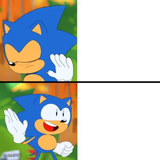
A close-up, blurry, unsettling grin from Sonic the Hedgehog. Ideal for 'that's not right' and creepy-approval reaction memes. Free to caption and download.
Blank Sonic Creepy Smile meme template
Download the blank Sonic Creepy Smile template to caption it yourself, or add your text right here in the editor above and download the finished meme.
When to use the Sonic Creepy Smile meme
- Reacting to something that's fine on paper but feels deeply wrong
- When someone says 'trust the process' and you have no choice but to smile
- Approving a plan you know is a terrible idea
- Watching your bank account after a big purchase
Sonic Creepy Smile template facts
- Featuring
- Sonic the Hedgehog
- Dimensions
- 638 × 391 px
- Format
- JPG
- Added
- 2025
About the Sonic Creepy Smile meme template
This is Sonic's face zoomed way too far in, grinning way too wide, in a way that no blue hedgehog should ever grin. It's the classic uncanny-valley Sonic image that's launched a thousand unsettling reaction memes.
Perfect for when something is technically fine but also deeply wrong, or when you want to react to bad news with an expression that says 'I am smiling but I am not okay.'
Templates similar to Sonic Creepy Smile







Sonic Creepy Smile meme FAQ
How do I make a Sonic Creepy Smile meme?
Scroll up to the Sonic Creepy Smile template, add your own text boxes in the editor above and type your captions, adjust the font, size and color if you like, then click download. Your finished Sonic Creepy Smile meme is ready to share in seconds.
Can I use the Sonic Creepy Smile template for free?
Yes. The Sonic Creepy Smile template is completely free to use — no signup and no limits on how many memes you create or where you share them.
How do I download my Sonic Creepy Smile meme?
Click the download button under the editor once your Sonic Creepy Smile meme looks right. It saves straight to your device as a high-quality PNG or JPEG image.
How do I download the blank Sonic Creepy Smile template?
Use the "Download blank template" button in the blank Sonic Creepy Smile template section above to save the original, un-captioned image — handy if you'd rather caption it in another app or keep a copy.