
Sonic Scared Face Meme Generator
Create Your Sonic Scared Face Meme

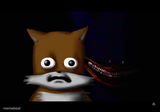
Sonic calmly types on a computer, then his face twists into pure terror. Perfect for before/after dread and 3am regret captions. Free to caption and download.
Blank Sonic Scared Face meme template
Download the blank Sonic Scared Face template to caption it yourself, or add your text right here in the editor above and download the finished meme.
When to use the Sonic Scared Face meme
- Googling your symptoms at 2am and regretting every click
- Opening the group chat after you already know what happened
- Reading the syllabus and finding the exam is tomorrow
Sonic Scared Face template facts
- Dimensions
- 910 × 966 px
- Format
- PNG
- Text boxes
- 2
- Added
- 2025
About the Sonic Scared Face meme template
The "Sonic Looks at Computer and Regrets" meme template has become a standout in internet culture, blending nostalgia with dark humor. Originating from the creepy Sonic.exe fan lore, this meme captures Sonic’s shocked or regretful expression as he stares at a computer screen, often implying a viral or unsettling digital experience. Since gaining traction on platforms like Reddit and Twitter around 2018, it has evolved into a viral phenomenon that resonates with fans of gaming, horror, and internet subcultures alike. Its unique blend of humor and eeriness makes it a memorable piece of meme culture that continues to thrive in social media conversations.
This meme template is perfect for expressing moments of regret, shock, or disbelief related to technology, online mishaps, or unexpected digital surprises. Whether you want to highlight a funny virus scare, a WTF moment on your computer, or just share a darkly comedic reaction, this template fits seamlessly into social media content strategies. Knowing how to use the "Sonic Looks at Computer and Regrets" meme effectively can amplify your posts on Instagram, Twitter, TikTok, and Facebook, making your content relatable and shareable. It’s especially ideal for creators looking to tap into niche internet humor and viral meme trends that spark engagement and laughter.
The popularity of this meme template endures because it’s easy to customize and instantly relatable, making it a top choice for meme makers everywhere. With our Sonic Looks at Computer meme generator, you can create, personalize, and generate your own hilarious versions in seconds—no design skills needed. This tool offers instant results and encourages viral sharing across all major social platforms, boosting your social media presence effortlessly. Don’t miss out on creating funny, trending, and shareable content now—jump in and make your own Sonic Looks at Computer meme today to join millions enjoying this viral meme culture staple.
Popular Sonic Scared Face caption ideas
ME CHECKING A COMMENT I GOT IN MY EARLY DAYS OF IMGFLIP · ME SAW THAT I JUST GOT ROASTED FOR UPVOTE BEGGING & I DIDNT KNOW UPVOTE BEGGING WAS WRONG AT THE TIME
me casually checking my email · seeing 'final notice' in the subject line
opening the group project doc the night before it's due · realizing no one else touched it
googling a weird symptom · the search results
Templates similar to Sonic Scared Face







Sonic Scared Face meme FAQ
How do I make a Sonic Scared Face meme?
Scroll up to the Sonic Scared Face template, type your caption into the 2 text boxes in the editor above, adjust the font, size and color if you like, then click download. Your finished Sonic Scared Face meme is ready to share in seconds.
Can I use the Sonic Scared Face template for free?
Yes. The Sonic Scared Face template is completely free to use — no signup and no limits on how many memes you create or where you share them.
How do I download my Sonic Scared Face meme?
Click the download button under the editor once your Sonic Scared Face meme looks right. It saves straight to your device as a high-quality PNG or JPEG image.
How do I download the blank Sonic Scared Face template?
Use the "Download blank template" button in the blank Sonic Scared Face template section above to save the original, un-captioned image — handy if you'd rather caption it in another app or keep a copy.