
Solar eclipse Meme Generator
Create Your Solar eclipse Meme
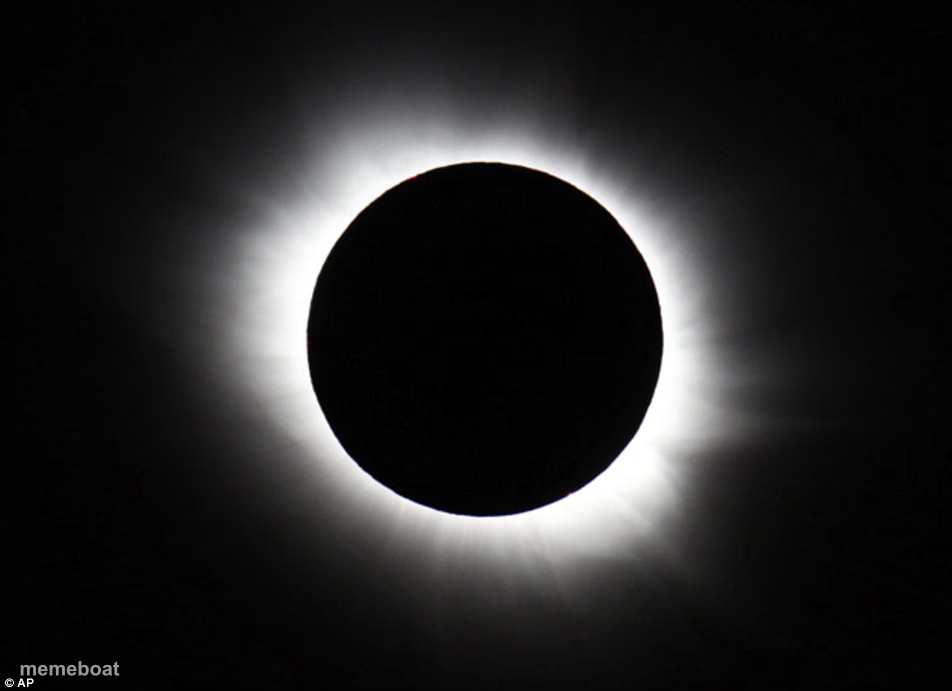
A total solar eclipse, moon fully blacking out the sun with just the corona glowing around the edges. Great for rare-event or 'everything went dark' jokes. Free to caption.
Blank Solar eclipse meme template
Download the blank Solar eclipse template to caption it yourself, or add your text right here in the editor above and download the finished meme.
When to use the Solar eclipse meme
- Bragging that you actually saw the eclipse in totality
- Describing the vibe shift when your boss walks into the room
- A once-in-a-lifetime event that only happens every few years
- The one time the group chat goes completely silent
Solar eclipse template facts
- Dimensions
- 952 × 691 px
- Format
- JPG
- Added
- 2025
About the Solar eclipse meme template
A real total solar eclipse photo, the sun completely blotted out by the moon with that eerie white corona ring glowing around it. It's the kind of image that makes people stop scrolling for a second.
Use it for anything rare, dramatic, or ominous: a once-in-a-lifetime moment, the vibe going dark in a room, or just flexing that you saw the eclipse when everyone else missed it.
Templates similar to Solar eclipse


Solar eclipse meme FAQ
How do I make a Solar eclipse meme?
Scroll up to the Solar eclipse template, add your own text boxes in the editor above and type your captions, adjust the font, size and color if you like, then click download. Your finished Solar eclipse meme is ready to share in seconds.
Can I use the Solar eclipse template for free?
Yes. The Solar eclipse template is completely free to use — no signup and no limits on how many memes you create or where you share them.
How do I download my Solar eclipse meme?
Click the download button under the editor once your Solar eclipse meme looks right. It saves straight to your device as a high-quality PNG or JPEG image.
How do I download the blank Solar eclipse template?
Use the "Download blank template" button in the blank Solar eclipse template section above to save the original, un-captioned image — handy if you'd rather caption it in another app or keep a copy.