
Blindfolded Referees Meme Generator
Create Your Blindfolded Referees Meme
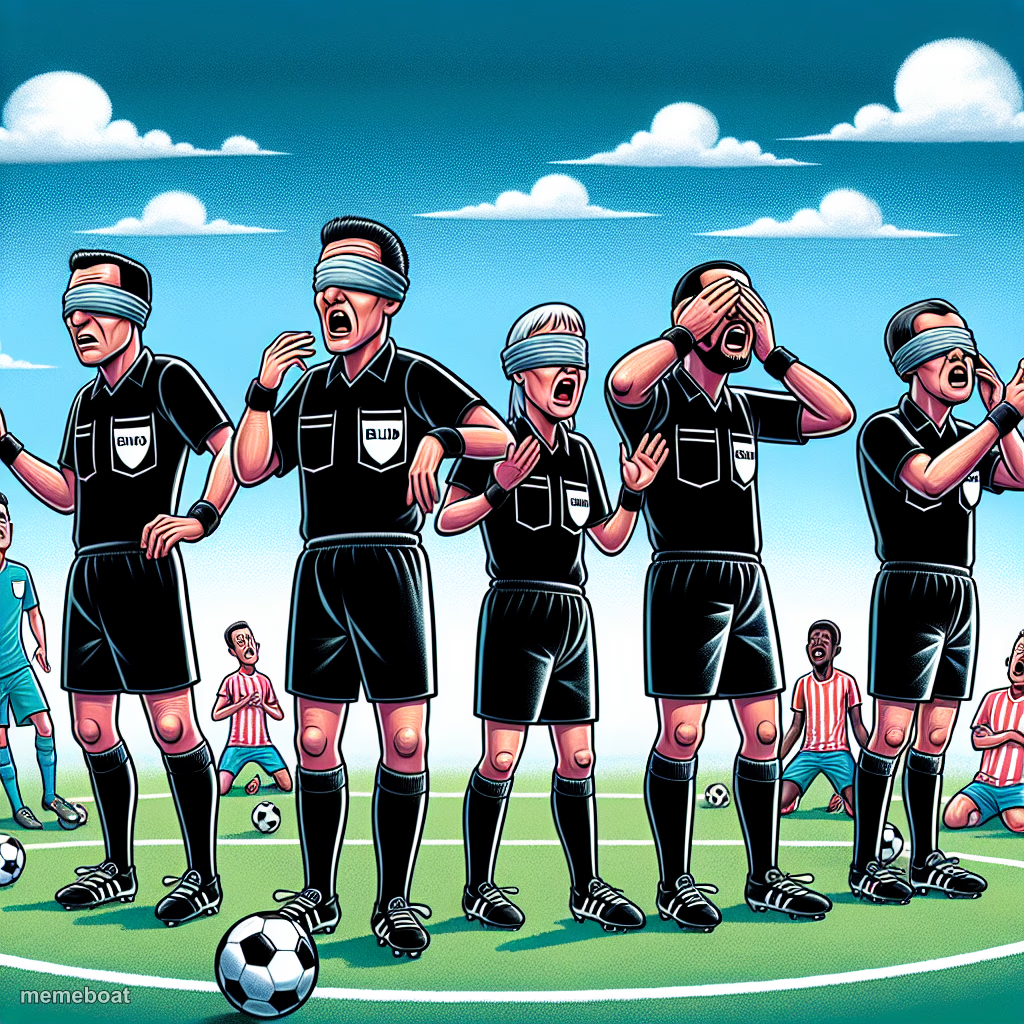
A row of soccer referees wearing blindfolds while chaos happens behind them — perfect for calling out terrible officiating. Free to caption and download.
Blank Blindfolded Referees meme template
Download the blank Blindfolded Referees template to caption it yourself, or add your text right here in the editor above and download the finished meme.
When to use the Blindfolded Referees meme
- Reacting to a missed penalty call
- Mocking officials after your team gets robbed
- Any 'how did nobody see that' moment
- Managers or bosses ignoring an obvious problem
Blindfolded Referees template facts
- Dimensions
- 1024 × 1024 px
- Format
- PNG
- Text boxes
- 1
- Added
- 2025
About the Blindfolded Referees meme template
Five referees standing in a perfect blindfolded lineup, some looking pained, one still blowing the whistle anyway. It's the exact image every fan pulls up after a controversial call didn't go their way.
Popular Blindfolded Referees caption ideas
"REFS ITS A FOUL" · WE ARE BLIND
Referees during the entire second half
VAR: 'no clear and obvious error'
My manager reviewing my performance
Templates similar to Blindfolded Referees


Blindfolded Referees meme FAQ
How do I make a Blindfolded Referees meme?
Scroll up to the Blindfolded Referees template, type your caption into the text box in the editor above, adjust the font, size and color if you like, then click download. Your finished Blindfolded Referees meme is ready to share in seconds.
Can I use the Blindfolded Referees template for free?
Yes. The Blindfolded Referees template is completely free to use — no signup and no limits on how many memes you create or where you share them.
How do I download my Blindfolded Referees meme?
Click the download button under the editor once your Blindfolded Referees meme looks right. It saves straight to your device as a high-quality PNG or JPEG image.
How do I download the blank Blindfolded Referees template?
Use the "Download blank template" button in the blank Blindfolded Referees template section above to save the original, un-captioned image — handy if you'd rather caption it in another app or keep a copy.