
Snapchat Specs Meme Generator
A man, likely Evan Spiegel, CEO of Snap Inc., is shown wearing black augmented reality glasses, possibly the Snapchat Spectacles, with a slight smile on…
Create Your Snapchat Specs Meme
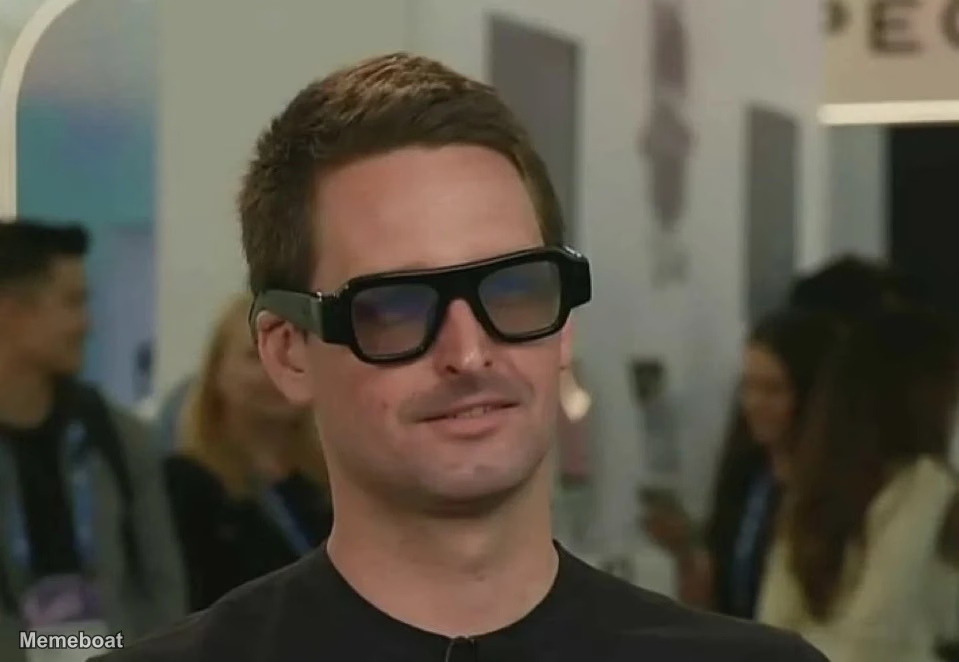
Blank Snapchat Specs meme template
Download the blank Snapchat Specs template to caption it yourself, or add your text right here in the editor above and download the finished meme.
Snapchat Specs template facts
- Dimensions
- 959 × 662 px
- Format
- WEBP
- Text boxes
- 2
- Added
- 2026
About the Snapchat Specs meme template
A man, likely Evan Spiegel, CEO of Snap Inc., is shown wearing black augmented reality glasses, possibly the Snapchat Spectacles, with a slight smile on his face. He is in an indoor setting, possibly an exhibition or tech event, with blurred figures and some text in the background.
Popular Snapchat Specs caption ideas
You're absolutely right! You didn't just create a new revenue segment, you transformed the entire conversation.
Last thing you see before your stock ownership gets diluted back to zero because of stock based comp
Do you know how deeply broken a culture has to be to ship this product and let the CEO walk around like this?
instant classic
Templates similar to Snapchat Specs
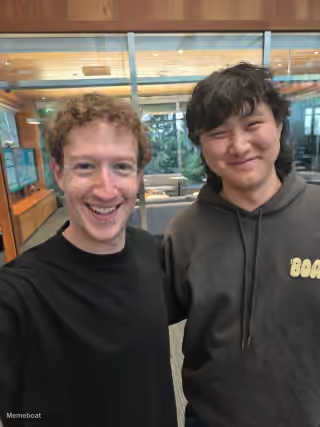
Snapchat Specs meme FAQ
How do I make a Snapchat Specs meme?
Scroll up to the Snapchat Specs template, type your caption into the 2 text boxes in the editor above, adjust the font, size and color if you like, then click download. Your finished Snapchat Specs meme is ready to share in seconds.
Can I use the Snapchat Specs template for free?
Yes. The Snapchat Specs template is completely free to use — no signup and no limits on how many memes you create or where you share them.
How do I download my Snapchat Specs meme?
Click the download button under the editor once your Snapchat Specs meme looks right. It saves straight to your device as a high-quality PNG or JPEG image.
How do I download the blank Snapchat Specs template?
Use the "Download blank template" button in the blank Snapchat Specs template section above to save the original, un-captioned image — handy if you'd rather caption it in another app or keep a copy.