
Skelator Facts Meme Generator
Create Your Skelator Facts Meme
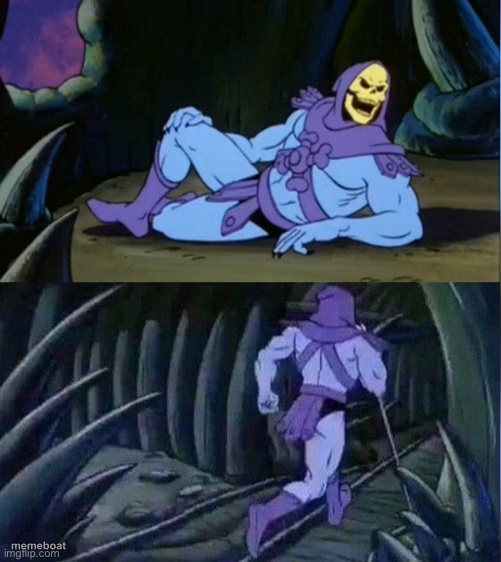
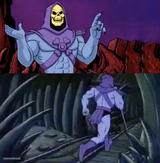
Skeletor lounging then strutting off — the classic two-panel 'facts' meme for dropping an unfiltered truth bomb. Free to caption and download.
Blank Skelator Facts meme template
Download the blank Skelator Facts template to caption it yourself, or add your text right here in the editor above and download the finished meme.
When to use the Skelator Facts meme
- Dropping a blunt truth nobody asked for and leaving immediately
- Confessing something unhinged with zero follow-up
- Ending an argument by stating a fact and exiting
- Giving unsolicited life advice then disappearing
Skelator Facts template facts
- Featuring
- Skeletor (He-Man and the Masters of the Universe)
- Dimensions
- 501 × 562 px
- Format
- JPG
- Added
- 2025
About the Skelator Facts meme template
Top panel: Skeletor kicked back, totally relaxed, about to say something. Bottom panel: he's already walking away, cane in hand, not sticking around for the reaction. It's the meme format built for dropping a hard truth and immediately dipping.
Use it whenever you've got a blunt fact, a hot take, or an unhinged confession that you're not interested in defending — say it, then walk. No rebuttals accepted.

Skelator Facts meme FAQ
How do I make a Skelator Facts meme?
Scroll up to the Skelator Facts template, add your own text boxes in the editor above and type your captions, adjust the font, size and color if you like, then click download. Your finished Skelator Facts meme is ready to share in seconds.
Can I use the Skelator Facts template for free?
Yes. The Skelator Facts template is completely free to use — no signup and no limits on how many memes you create or where you share them.
How do I download my Skelator Facts meme?
Click the download button under the editor once your Skelator Facts meme looks right. It saves straight to your device as a high-quality PNG or JPEG image.
How do I download the blank Skelator Facts template?
Use the "Download blank template" button in the blank Skelator Facts template section above to save the original, un-captioned image — handy if you'd rather caption it in another app or keep a copy.