
Skar king Meme Generator
Create Your Skar king Meme
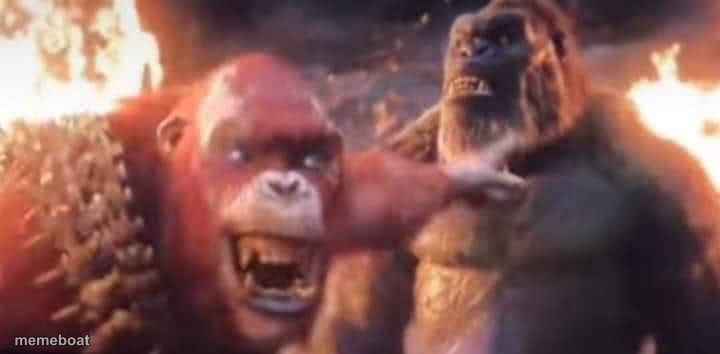
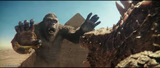
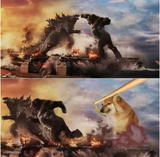
Skar King grips Kong's face menacingly amid fire and ruins from Godzilla x Kong. Great for intimidation, betrayal, and dramatic confrontation memes. Free to caption.
Blank Skar king meme template
Download the blank Skar king template to caption it yourself, or add your text right here in the editor above and download the finished meme.
When to use the Skar king meme
- Your boss pulling you aside for an uncomfortable one-on-one
- A friend confronting you after finding out you lied
- Two coworkers having an intense, too-close conversation
- Any dramatic villain-monologue moment before things go wrong
Skar king template facts
- Featuring
- Skar King (Godzilla x Kong: The New Empire)
- Dimensions
- 720 × 354 px
- Format
- JPG
- Added
- 2025
About the Skar king meme template
Skar King has Kong's face in a death grip while flames rage in the background, pure movie-villain intimidation energy. The kind of shot that just screams 'we need to talk, and it's not going to be pleasant.'
Use it for confrontations, backstabbing reveals, or any moment where someone gets uncomfortably close to make a point. Works especially well for workplace drama, friend group betrayals, or anything involving a menacing 'we need to have words.'
Skar king meme FAQ
How do I make a Skar king meme?
Scroll up to the Skar king template, add your own text boxes in the editor above and type your captions, adjust the font, size and color if you like, then click download. Your finished Skar king meme is ready to share in seconds.
Can I use the Skar king template for free?
Yes. The Skar king template is completely free to use — no signup and no limits on how many memes you create or where you share them.
How do I download my Skar king meme?
Click the download button under the editor once your Skar king meme looks right. It saves straight to your device as a high-quality PNG or JPEG image.
How do I download the blank Skar king template?
Use the "Download blank template" button in the blank Skar king template section above to save the original, un-captioned image — handy if you'd rather caption it in another app or keep a copy.