
sizzling hot take Meme Generator
Create Your sizzling hot take Meme

Create sizzling hot take memes with your own controversial opinions. Add custom text to express your boldest takes and download your finished meme.
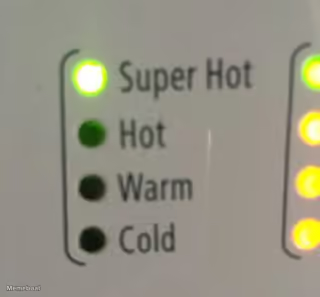
Blank sizzling hot take meme template
Download the blank sizzling hot take template to caption it yourself, or add your text right here in the editor above and download the finished meme.
sizzling hot take template facts
- Dimensions
- 600 × 450 px
- Format
- JPG
- Text boxes
- 1
- Added
- 2026
About the sizzling hot take meme template
Need to share a controversial opinion that's sure to spark debate? This template works perfectly for expressing those bold takes that you know will get people talking.
The format shines when you're stating something subjective as fact - like declaring which colors belong to different school subjects or making definitive claims about everyday topics. Your caption works best when it presents your opinion with complete confidence, as if it's an undeniable truth.
Add your own text to create the perfect hot take, then download your finished meme to share wherever the debate needs to happen.
Popular sizzling hot take caption ideas
Math is red · Science is blue · History is green · And I will fight you over this
Templates similar to sizzling hot take



sizzling hot take meme FAQ
How do I make a sizzling hot take meme?
Scroll up to the sizzling hot take template, type your caption into the text box in the editor above, adjust the font, size and color if you like, then click download. Your finished sizzling hot take meme is ready to share in seconds.
Can I use the sizzling hot take template for free?
Yes. The sizzling hot take template is completely free to use — no signup and no limits on how many memes you create or where you share them.
How do I download my sizzling hot take meme?
Click the download button under the editor once your sizzling hot take meme looks right. It saves straight to your device as a high-quality PNG or JPEG image.
How do I download the blank sizzling hot take template?
Use the "Download blank template" button in the blank sizzling hot take template section above to save the original, un-captioned image — handy if you'd rather caption it in another app or keep a copy.