
simon Meme Generator
Create Your simon Meme

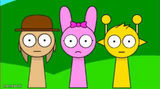
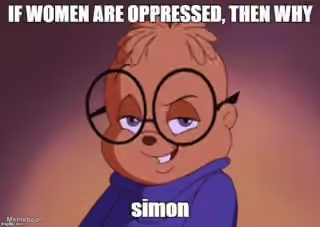
A round yellow alien with heavy-lidded eyes and antennae stands in a brown coat, radiating pure done-with-today energy. Caption it free for tired, unbothered, over-it moments.
Blank simon meme template
Download the blank simon template to caption it yourself, or add your text right here in the editor above and download the finished meme.
When to use the simon meme
- Showing up to work running on three hours of sleep and zero shame
- The face you make agreeing to something you'll definitely forget
- Pretending you read the whole email thread
- Monday morning but make it smug
simon template facts
- Dimensions
- 360 × 497 px
- Format
- JPG
- Text boxes
- 1
- Added
- 2026
About the simon meme template
This little yellow alien has the droopiest, most unbothered eyes in the game. Antennae up, coat on, smug little smile — he looks like he's seen everything and decided none of it is worth getting worked up about.
Perfect for that half-asleep, running-on-fumes energy, or the specific brand of unbothered confidence you fake right before a meeting you didn't prepare for. Low effort, high attitude.
Popular simon caption ideas
I’M FRYING MYSELF
ME AT 6AM PRETENDING I'M A MORNING PERSON
WHEN YOU SAY 'YEAH TOTALLY, SOUNDS GOOD' WITHOUT LISTENING
MY ENERGY LEVEL AFTER ONE SIP OF COFFEE

simon meme FAQ
How do I make a simon meme?
Scroll up to the simon template, type your caption into the text box in the editor above, adjust the font, size and color if you like, then click download. Your finished simon meme is ready to share in seconds.
Can I use the simon template for free?
Yes. The simon template is completely free to use — no signup and no limits on how many memes you create or where you share them.
How do I download my simon meme?
Click the download button under the editor once your simon meme looks right. It saves straight to your device as a high-quality PNG or JPEG image.
How do I download the blank simon template?
Use the "Download blank template" button in the blank simon template section above to save the original, un-captioned image — handy if you'd rather caption it in another app or keep a copy.