
Side-by-side panels Meme Generator
Create Your Side-by-side panels Meme

Create side-by-side panels memes comparing two different situations or reactions. Add your own captions and download your finished meme for free.
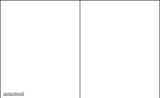
Blank Side-by-side panels meme template
Download the blank Side-by-side panels template to caption it yourself, or add your text right here in the editor above and download the finished meme.
Side-by-side panels template facts
- Dimensions
- 401 × 245 px
- Format
- JPG
- Added
- 2026
About the Side-by-side panels meme template
Need to show how something changes between two different situations? Side-by-side panels work well for contrasting your behavior, reactions, or circumstances in different contexts.
This format shines when you're highlighting the difference between private moments and public situations, like how you act when alone versus around others. The two-panel structure lets you set up a clear before-and-after or public-versus-private comparison.
For the strongest effect, make your captions mirror each other in structure while showing opposite meanings. Keep each panel's text short since you're working with two separate spaces that need to read as a connected pair.
Popular Side-by-side panels caption ideas
Ddlc when im alone · Ddlc when mom walks in
Templates similar to Side-by-side panels

Side-by-side panels meme FAQ
How do I make a Side-by-side panels meme?
Scroll up to the Side-by-side panels template, add your own text boxes in the editor above and type your captions, adjust the font, size and color if you like, then click download. Your finished Side-by-side panels meme is ready to share in seconds.
Can I use the Side-by-side panels template for free?
Yes. The Side-by-side panels template is completely free to use — no signup and no limits on how many memes you create or where you share them.
How do I download my Side-by-side panels meme?
Click the download button under the editor once your Side-by-side panels meme looks right. It saves straight to your device as a high-quality PNG or JPEG image.
How do I download the blank Side-by-side panels template?
Use the "Download blank template" button in the blank Side-by-side panels template section above to save the original, un-captioned image — handy if you'd rather caption it in another app or keep a copy.