
screan Meme Generator
Create Your screan Meme
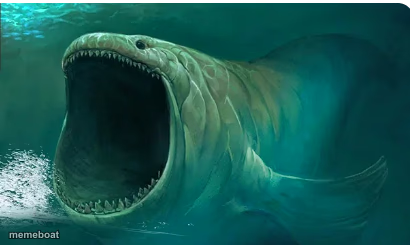
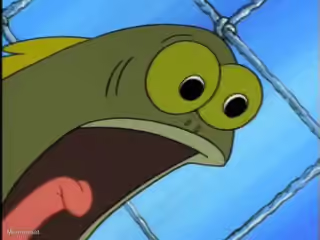
A gaping-mouthed sea monster roars underwater in this digital painting. Perfect for over-the-top reactions or dramatic screams. Caption it free.
Blank screan meme template
Download the blank screan template to caption it yourself, or add your text right here in the editor above and download the finished meme.
When to use the screan meme
- When someone says 'reply all' by accident
- That first sip of coffee before it's cooled down
screan template facts
- Dimensions
- 410 × 245 px
- Format
- PNG
- Text boxes
- 2
- Added
- 2025
About the screan meme template
This one is all mouth. A murky green underwater beast, somewhere between a fish, an eel, and a nightmare, has its jaws cranked wide open in a full-throated roar. Nobody knows exactly what it is, and honestly that's part of the appeal.
Use it whenever words alone can't capture the sheer volume of your reaction. Monday morning, group chat drama, that one email from your boss: this creature has already screamed about it for you. Add your own caption and let the abyss do the talking.
Popular screan caption ideas
ME OPENING MY LAPTOP · AND SEEING 47 UNREAD SLACK MESSAGES
WHEN THE WAITER SAYS · 'WE'RE OUT OF THAT'
MY FACE · AFTER READING THE GROUP CHAT
Templates similar to screan
screan meme FAQ
How do I make a screan meme?
Scroll up to the screan template, type your caption into the 2 text boxes in the editor above, adjust the font, size and color if you like, then click download. Your finished screan meme is ready to share in seconds.
Can I use the screan template for free?
Yes. The screan template is completely free to use — no signup and no limits on how many memes you create or where you share them.
How do I download my screan meme?
Click the download button under the editor once your screan meme looks right. It saves straight to your device as a high-quality PNG or JPEG image.
How do I download the blank screan template?
Use the "Download blank template" button in the blank screan template section above to save the original, un-captioned image — handy if you'd rather caption it in another app or keep a copy.