
Scared Simba Meme Generator
Create Your Scared Simba Meme
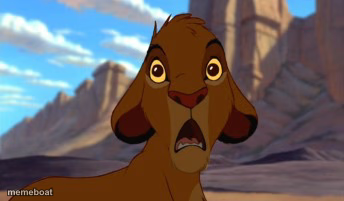
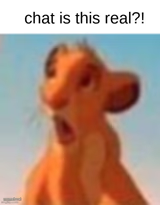
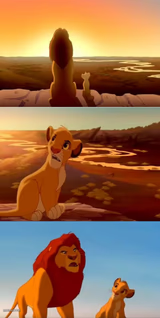
Young Simba wide-eyed and terrified against a rocky backdrop — ideal for pure shock or dread. Caption it and download your meme free, no sign-up.
Blank Scared Simba meme template
Download the blank Scared Simba template to caption it yourself, or add your text right here in the editor above and download the finished meme.
When to use the Scared Simba meme
- The instant you realize you replied-all by mistake
- Hearing footsteps behind you at 2am
- Remembering a deadline was today, not next week
Scared Simba template facts
- Featuring
- Simba (The Lion King)
- Dimensions
- 344 × 201 px
- Format
- JPG
- Text boxes
- 2
- Added
- 2025
About the Scared Simba meme template
Baby Simba's whole face has gone into panic mode — eyes huge, mouth open, clearly regretting whatever decision led him here. It's the rawest, most honest terror in Disney's back catalog.
Use it for jumpscares, sudden realizations, or that exact moment you remember you didn't submit the assignment. Works for both 'oh no' and 'oh NO' energy depending on the caption.
Popular Scared Simba caption ideas
When you hit reply-all · instead of reply
Me realizing · the exam is today
When the WiFi guy says · 'have you tried restarting it'
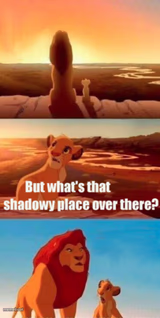
Scared Simba meme FAQ
How do I make a Scared Simba meme?
Scroll up to the Scared Simba template, type your caption into the 2 text boxes in the editor above, adjust the font, size and color if you like, then click download. Your finished Scared Simba meme is ready to share in seconds.
Can I use the Scared Simba template for free?
Yes. The Scared Simba template is completely free to use — no signup and no limits on how many memes you create or where you share them.
How do I download my Scared Simba meme?
Click the download button under the editor once your Scared Simba meme looks right. It saves straight to your device as a high-quality PNG or JPEG image.
How do I download the blank Scared Simba template?
Use the "Download blank template" button in the blank Scared Simba template section above to save the original, un-captioned image — handy if you'd rather caption it in another app or keep a copy.