
Sad tomato Meme Generator
Create Your Sad tomato Meme
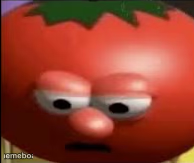
A tomato with a disappointed, deadpan human-like face. Use it for any moment of quiet defeat. Caption it and download free.
Blank Sad tomato meme template
Download the blank Sad tomato template to caption it yourself, or add your text right here in the editor above and download the finished meme.
When to use the Sad tomato meme
- Getting handed more work five minutes before quitting time
- Opening the fridge and finding nothing you actually want
Sad tomato template facts
- Dimensions
- 194 × 163 px
- Format
- PNG
- Text boxes
- 1
- Added
- 2025
About the Sad tomato meme template
This tomato has clearly given up on something — maybe life, maybe salad season, maybe just today. The flat, tired expression somehow does more emotional heavy lifting than most human reaction shots.
Perfect for when you're too tired to even be dramatic about your disappointment, just numb and vegetable-shaped about it.
Popular Sad tomato caption ideas
Also Me: Slowly enters password letter by letter *Wrong* · Me: Enters my password *Wrong*
Me finding out there's a mandatory meeting at 8am
When they say 'per my last email'
My face when the salad has more tomato than anything else
Templates similar to Sad tomato
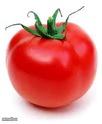

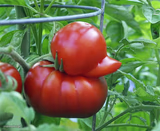

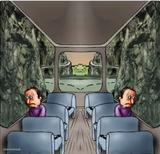
Sad tomato meme FAQ
How do I make a Sad tomato meme?
Scroll up to the Sad tomato template, type your caption into the text box in the editor above, adjust the font, size and color if you like, then click download. Your finished Sad tomato meme is ready to share in seconds.
Can I use the Sad tomato template for free?
Yes. The Sad tomato template is completely free to use — no signup and no limits on how many memes you create or where you share them.
How do I download my Sad tomato meme?
Click the download button under the editor once your Sad tomato meme looks right. It saves straight to your device as a high-quality PNG or JPEG image.
How do I download the blank Sad tomato template?
Use the "Download blank template" button in the blank Sad tomato template section above to save the original, un-captioned image — handy if you'd rather caption it in another app or keep a copy.