
Sad Spongebob Meme Generator
Create Your Sad Spongebob Meme
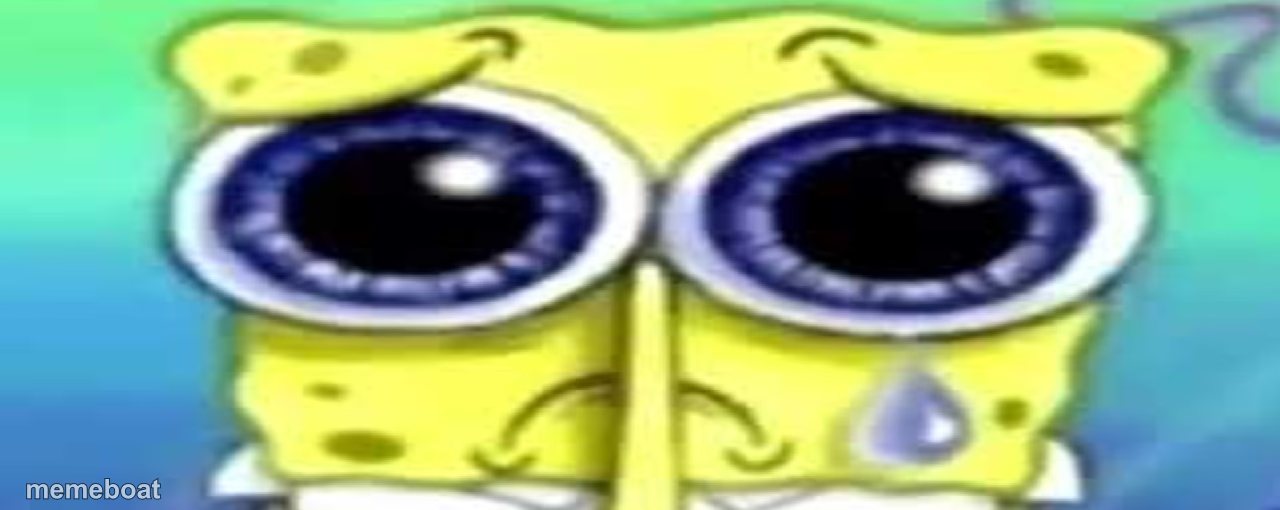
Close-up of SpongeBob welling up with a single tear, big sad eyes and quivering smile. Ideal for heartbreak, disappointment, or fake-crying jokes. Free to caption.
Blank Sad Spongebob meme template
Download the blank Sad Spongebob template to caption it yourself, or add your text right here in the editor above and download the finished meme.
When to use the Sad Spongebob meme
- When your crush says "we should just be friends"
- Watching the last slice of pizza get taken
Sad Spongebob template facts
- Featuring
- SpongeBob SquarePants
- Dimensions
- 1280 × 510 px
- Format
- PNG
- Text boxes
- 1
- Added
- 2025
About the Sad Spongebob meme template
This is the SpongeBob face everyone knows: eyes glassy, one perfect tear rolling down, mouth still trying to hold together a smile that clearly isn't working. It's the internet's go-to for expressing sadness without actually looking sad, which somehow makes it hit harder.
Drop it under any "it's fine, I'm fine" moment, a rejection, or watching your favorite show get cancelled. Works equally well as genuine sympathy bait or full irony.
Popular Sad Spongebob caption ideas
WHEN THE WAITER SAYS THEY'RE OUT OF FRIES
ME WATCHING MY CRUSH LIKE SOMEONE ELSE'S POST
WHEN THE WIFI BUFFERS AT THE BEST PART
Templates similar to Sad Spongebob

Sad Spongebob meme FAQ
How do I make a Sad Spongebob meme?
Scroll up to the Sad Spongebob template, type your caption into the text box in the editor above, adjust the font, size and color if you like, then click download. Your finished Sad Spongebob meme is ready to share in seconds.
Can I use the Sad Spongebob template for free?
Yes. The Sad Spongebob template is completely free to use — no signup and no limits on how many memes you create or where you share them.
How do I download my Sad Spongebob meme?
Click the download button under the editor once your Sad Spongebob meme looks right. It saves straight to your device as a high-quality PNG or JPEG image.
How do I download the blank Sad Spongebob template?
Use the "Download blank template" button in the blank Sad Spongebob template section above to save the original, un-captioned image — handy if you'd rather caption it in another app or keep a copy.