
Sad Hamster Meme Generator
Create Your Sad Hamster Meme
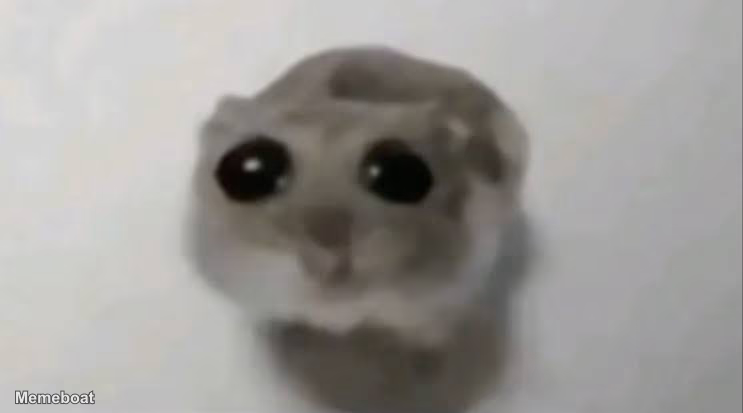
Also known as: Hamster With Big Eyes · Violin Hamster
Create Sad Hamster memes about disappointing moments and achievements gone wrong. Add your own captions and download your custom meme for free.
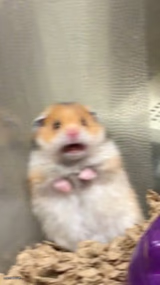
Blank Sad Hamster meme template
Download the blank Sad Hamster template to caption it yourself, or add your text right here in the editor above and download the finished meme.
Sad Hamster template facts
- Dimensions
- 743 × 413 px
- Format
- JPG
- Added
- 2026
About the Sad Hamster meme template
This format works well for moments when achievements feel hollow or disappointing. The sad expression pairs with captions about graduation, diplomas, or other milestones that didn't bring the expected satisfaction.
Your caption can focus on the gap between expectation and reality - what you thought would make you happy versus how it actually felt. The template particularly suits educational achievements, career moments, or personal goals that turned out anticlimactic.
Keep your text brief and relatable. The hamster's expression does most of the emotional work, so your caption just needs to set up the specific situation that triggered the disappointment.
Popular Sad Hamster caption ideas
pov: you gragiaded · diploma
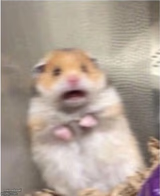
Templates similar to Sad Hamster



Sad Hamster meme FAQ
How do I make a Sad Hamster meme?
Scroll up to the Sad Hamster template, add your own text boxes in the editor above and type your captions, adjust the font, size and color if you like, then click download. Your finished Sad Hamster meme is ready to share in seconds.
Can I use the Sad Hamster template for free?
Yes. The Sad Hamster template is completely free to use — no signup and no limits on how many memes you create or where you share them.
How do I download my Sad Hamster meme?
Click the download button under the editor once your Sad Hamster meme looks right. It saves straight to your device as a high-quality PNG or JPEG image.
How do I download the blank Sad Hamster template?
Use the "Download blank template" button in the blank Sad Hamster template section above to save the original, un-captioned image — handy if you'd rather caption it in another app or keep a copy.